
Best Large Format Printer 24x36 for Posters, CAD & Photo Prints
| Mar 18, 2026
Large prints can transform a simple design or photograph into something truly impactful. Whether you’re creating architectural blueprints, eye-catching posters, or high-quality photography, having the right printer makes a big difference. A large format printer 24x36 allows professionals to produce detailed, full-size prints without relying on external print shops. Unlike smaller options like the best 11x17 printer or a printer for graphics, it handles large media with precision and clarity. For architects, engineers, designers, photographers, and small businesses, a 24-inch wide format printer can streamline workflow and improve productivity. However, with many models available, choosing the right one can be confusing. Factors like print quality, ink systems, speed, and media compatibility all play an important role. Understanding these features helps ensure you invest in a printer that fits your specific needs.
In this guide, we will cover:
- What a large-format printer 24x36 is and how it works
- What a 24-inch wide format printer is designed for
- Key features to consider before buying
- The best 24-inch large format printers available today
- How to choose the right printer for posters, CAD drawings, blueprints, and graphics.
What Is a Large Format Printer 24x36?
A 24x36 printing means a print that measures 24 inches by 36 inches. This size is widely used for posters, presentation graphics, and engineering drawings. A large-format printer can print this size easily because the paper width is usually 24 inches. The printer feeds paper from large sheets or rolls and prints long graphics without reducing the scale.
This size is popular for detailed prints. Architects use it for blueprints, designers use it for posters, and photographers use it for large photo prints. A 24-inch wide-format printer can also support different media types like photo paper, coated paper, and poster board.
What Is a 24-Inch Wide-Format Printer Designed For?
A 24-inch wide format printer is built for printing large visuals that require clarity and precision.
Typical uses of a large format printer 24x36 include:
- Posters and marketing graphics
- CAD drawings and architectural plans
- Maps and technical diagrams
- Photography and art prints
- Business signage and displays
How Large Format Printers Differ from Standard Office Printers
A large-format printer is very different from a standard office printer.
- Print Size: Regular printers usually print A4 or letter size. A 24-inch wide-format printer prints large posters, banners, and A1 documents.
- Graphics Quality: Large-format printers are optimized for detailed graphics and precise lines.
- Media Handling: Many models support roll paper. This allows long posters or banners.
- Ink Systems: Some printers use multiple inks to improve color accuracy and depth.
Why a 24-Inch Wide Format Printer Is Ideal for Professional Printing
A 24x36 large-format printer prints full-size posters, CAD drawings, and graphics on wide sheets or rolls. A 24-inch wide-format printer improves workflow for studios, offices, and small businesses that need professional prints.
1. Perfect Size for Posters, CAD Drawings, and Blueprints
A large-format printer prints 24×36-inch designs at full scale. Architects and engineers use it for blueprints and CAD drawings. Designers rely on it for posters and presentation graphics.
2. High-Quality Graphics and Precision Printing
24-inch wide-format printers deliver sharp lines and accurate colors. Photo and technical printers offer multiple inks for rich tones. Users seeking cost savings may choose printers with cheap ink, but this cannot match a large format printer 24x36 for large prints.
3. Flexibility with Roll Paper and Large Sheet Media
A large-format printer handles sheet media and roll paper. It prints banners, long diagrams, and large graphics with ease. Media options include photo paper, poster paper, and coated sheets.
4. Suitable for Studios, Offices, and Small Businesses
A 24-inch wide format printer fits design studios, architecture offices, and marketing teams. Photographers print large photos, architects print drawings, and small businesses create posters and signage without outsourcing.
Key Features to Look for in a Large Format Printer 24x36
A large-format printer ensures professional results for posters, CAD drawings, and photos. Key factors include resolution, ink system, media handling, connectivity, and running costs.
1. Print Resolution and Color Accuracy
High resolution (1200×1200 dpi or more) ensures sharp lines and vibrant colors. Multi-ink systems in a large-format printer provide accurate color for professional graphics.
2. Ink Systems (4-Ink vs 8–12 Ink)
Printers with 4-ink systems suit basic CAD prints, while the 8–12 ink systems deliver richer colors for posters and photos.
3. Pigment Ink vs Dye Ink
Pigment inks resist fading, ideal for archival prints. Dye inks produce vibrant colors on glossy media. Choose based on print type in a 24-inch wide-format printer.
4. Print Speed
Fast printing saves time on large CAD sheets and posters. Look for a large-format printer that prints A1/24×36-inch pages quickly.
5. Media Handling
Roll feed is best for banners and long prints. Sheet feed works for posters and photo media. Some 24-inch wide format printers support both.
6. Connectivity Options
Wi-Fi, Ethernet, and mobile printing enable direct printing from computers, tablets, or phones, streamlining workflow.
Best 24-Inch Wide Format Printer
Finding the right large-format printer makes a big difference in print quality, speed, and reliability. A 24-inch wide-format printer lets you print full‑size posters, blueprints, CAD drawings, and high‑resolution photos with professional results. Below are the top options tailored to different needs, from high‑end performance to budget‑friendly value.
1. Canon imagePROGRAF PRO-1100
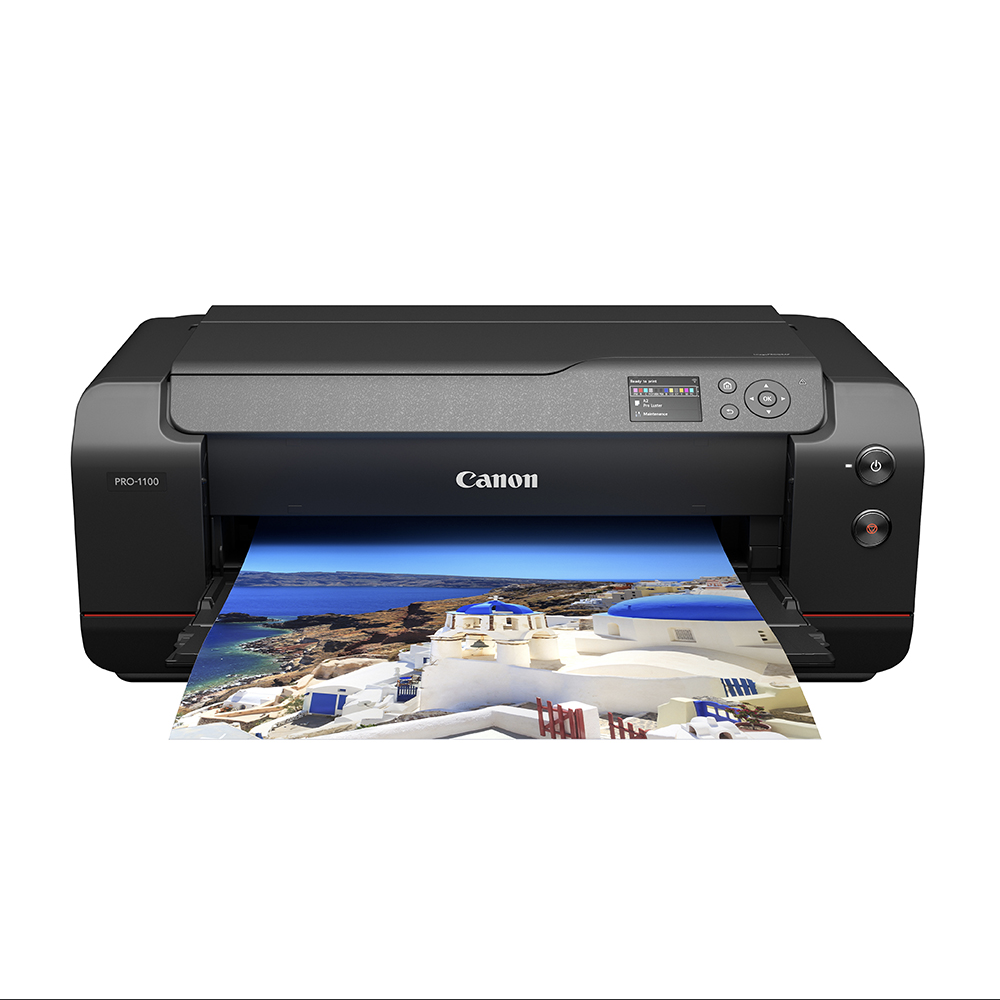
- 11 pigment-based inks with Chroma Optimizer for broad color gamut and gloss uniformity
- LUCIA PRO II ink system for vivid colors, deep blacks, and enhanced image clarity
- Borderless printing up to 17” / A2 size
- USB and Wi-Fi connectivity with professional print software support
- Anti-clogging print head and air feeding system for precise prints
- Ink: Canon PFI-4100 Ink Tank
Best For:
- Photographers and artists needing high-quality, large photo prints
Pros:
- Exceptional color accuracy and print clarity
- Professional print management tools included
Cons:
- Slower print speed (1 ppm)
- Heavy (83 lbs), takes significant space
2. Epson SureColor T5170
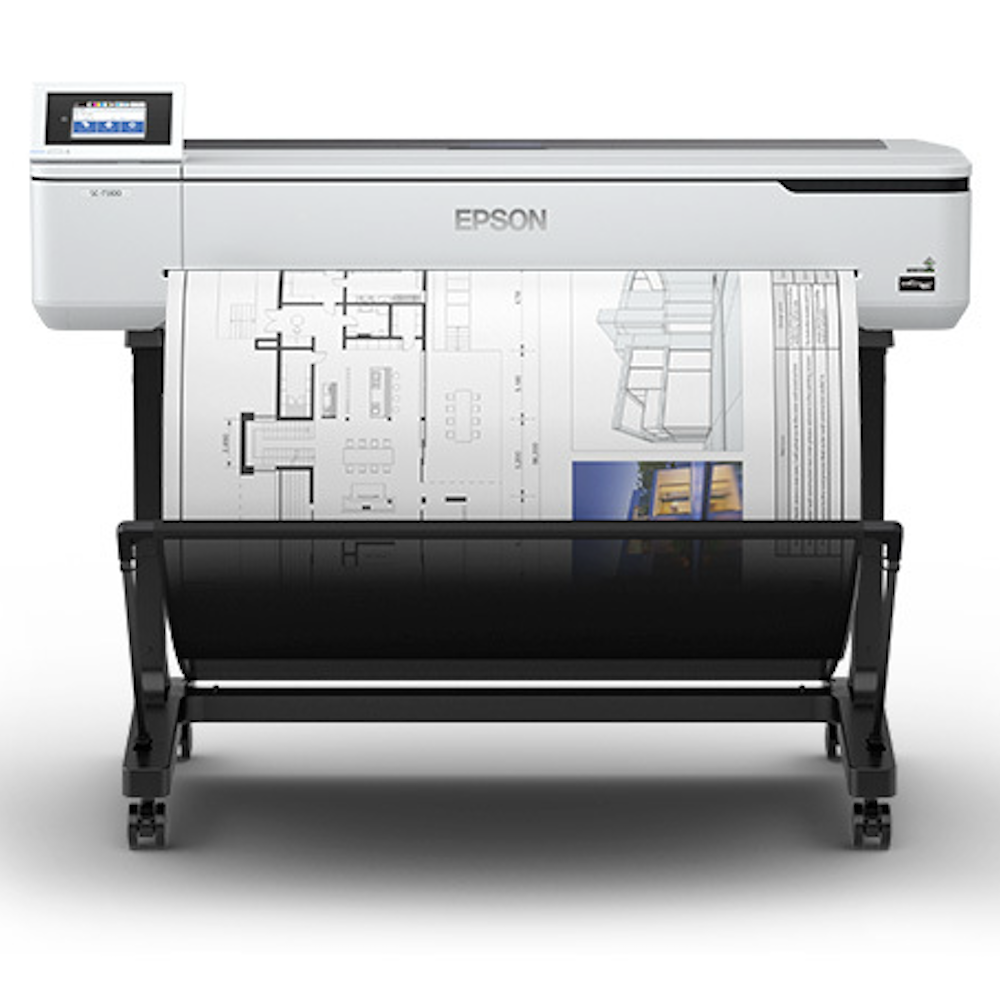
- Fast printing: A1/D-size prints in ~31 seconds
- High-capacity ink cartridges: 50 mL color, 80 mL black
- USB and Wi-Fi connectivity with Wi-Fi Direct for mobile printing
- Large 4.3” LCD touchscreen for easy operation
- Compact, sleek design suitable for offices and studios
- Ink: Epson T40W Ink Cartridges
Best For:
- Architects, engineers, and designers producing CAD drawings and blueprints
Pros:
- Very fast print speeds for professional work
- Easy mobile and wireless printing
Cons:
- Heavy (101 lbs), needs sufficient workspace
- Moderate color accuracy for fine art prints
3. HP DesignJet T650
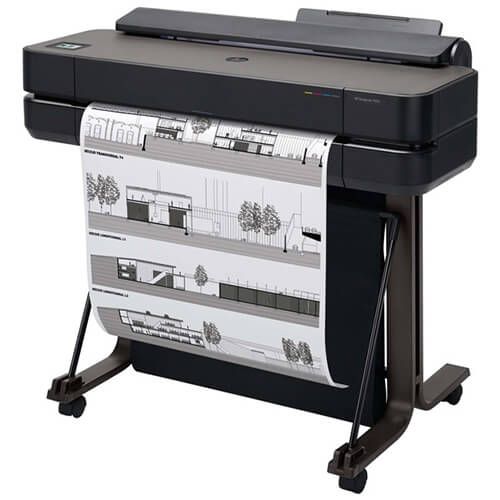
- High-speed printing: up to 81 A1 sheets per hour
- Wide media support: A4–A1 formats, up to 280 g/m² paper weight
- Connectivity: Wi-Fi, Ethernet, USB, compatible with Windows, iOS, Android, Chrome OS
- Compact, durable design with recycled metal construction
- Professional precision: 2400 x 1200 dpi resolution, ±0.1% line accuracy
- Ink: HP 712 Ink Cartridges (CompAndSave Price: $91.96 for 4-pack replacement)
Best For:
- Architects and engineers are printing detailed CAD drawings and technical graphics
Pros:
- Very fast output for high-volume work
- Supports multiple media types and sizes
Cons:
- Firmware limits non-HP cartridges
- Heavy (29.5 kg), requires dedicated space
4. Canon imagePROGRAF TM-240
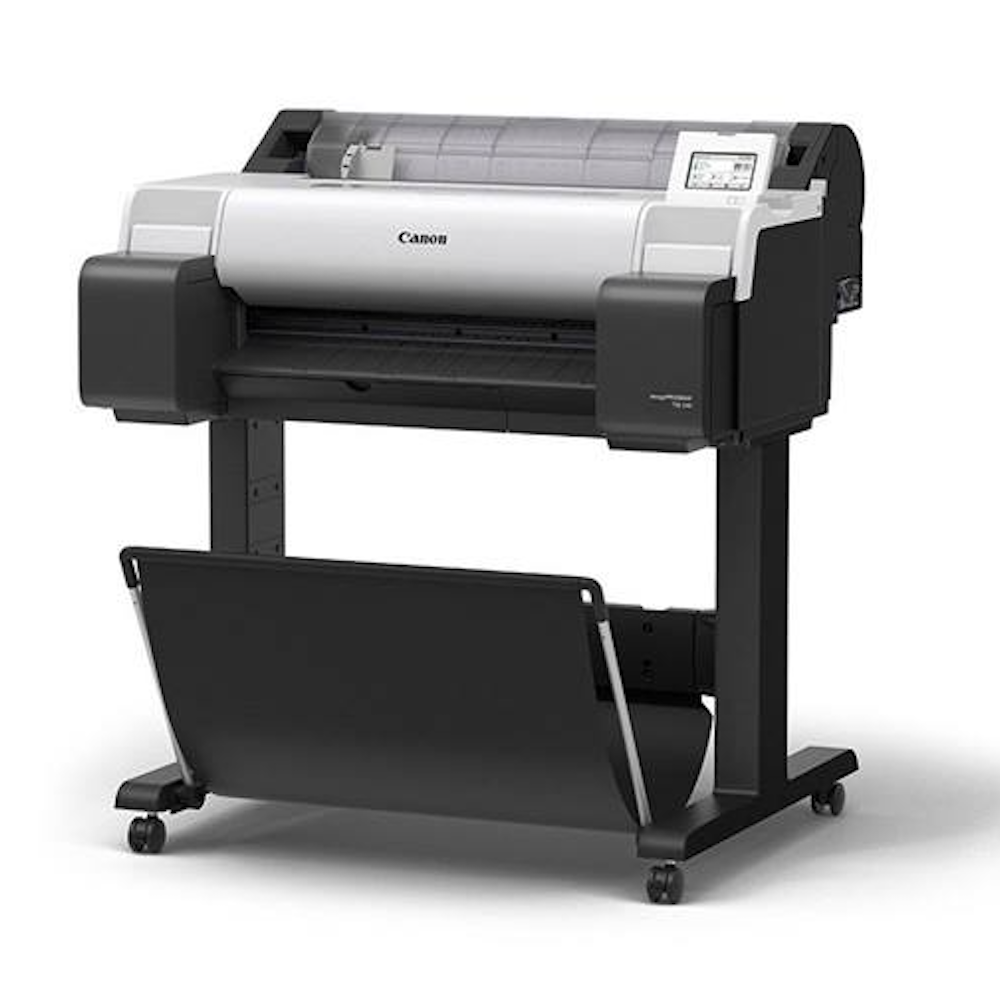
- 5-Color LUCIA TD pigment ink system for sharp lines and vivid colors
- Print speed about 2.4 ppm for large documents
- Built-in color calibration for consistent print quality
- 4.3” adjustable touchscreen with flat-body front operation design
- ENERGY STAR® and EPEAT Gold certified for energy efficiency
- Ink: Canon PFI-030 Pigment Ink Tank
Best For:
- Entry-level users printing CAD drawings, posters, and signage
Pros:
- Accurate color reproduction with new magenta ink
- Easy operation with touchscreen interface
Cons:
- Slower print speed compared to high-end plotters
- Designed mainly for entry-level use
How to Choose the Right Large-Format Printer 24x36
Choosing the right large format printer 24x36 is crucial for architects, designers, photographers, and small businesses. Similar to the best 11x17 printer, a 24-inch wide-format printer delivers more precise posters, CAD drawings, and large photo prints. Focus on print needs, media, speed, ink system, costs, and workspace.
1. Determine Your Primary Printing Needs
Identify whether you mostly print CAD drawings, posters, or photos. CAD and technical prints need accuracy and line precision, while posters and photo prints demand high color fidelity. This helps select the right large format printer 24x36 for your workflow.
2. Choose the Right Print Size and Media Support
Ensure the printer supports 24×36-inch prints and various media types, including glossy, matte, or fine art papers. Some 24-inch inkjet printers also handle roll media for banners.
3. Consider Print Speed and Productivity
High-speed printing improves workflow for large projects. Check how many 24×36 prints per hour a large format printer 24x36 can produce without compromising quality.
4. Evaluate Ink Technology and Print Quality
Pigment inks offer durability; dye inks deliver vibrant colors. Multi-ink systems ensure smooth gradients and accurate tones.
5. Compare Running Costs and Ink Efficiency
Look at cartridge sizes, refill options, and ink efficiency. Total cost of ownership matters more than upfront price, even if the 24-inch inkjet printer seems affordable.
Final Thoughts
Choosing the right large format printer 24x36 is crucial for professionals who need precise, high-quality prints. A 24-inch wide format printer offers the ideal balance of size, speed, and versatility for posters, blueprints, CAD drawings, and printer for graphics. Architects and engineers benefit from sharp lines and roll-feed support, while designers and photographers need vibrant colors and smooth tonal gradients. Always consider print resolution, media handling, and running costs while pigment or dye-based type of inks ensure long-lasting, professional results. Space, footprint, and connectivity are also key factors. A properly chosen printer boosts efficiency and print quality, meeting both creative and technical demands.
Ready to upgrade your prints? Explore Best 24-inch printers today!
Frequently Asked Questions
Are large format printers only for professionals?
Large format printers are versatile and suitable for small businesses, educators, and hobbyists. A large format printer 24x36 can handle posters, signage, and high-quality personal projects.
Do large format printers always have high running costs?
The printer itself can be costly upfront. Consider comparing the consumables and see which printer would meet your budget in the long run. Costs can be managed with refillable tanks making printing large graphics more affordable.
Are pigment inks the only option for quality prints?
Dye-based inks also provide vibrant colors for glossy and luster papers on 24-inch printer models. The best choice depends on the type of media and your printing requirements.
Related Articles
Best 11x17 Printer: Wide Format Printing Solutions in 2025
Top Printer for Graphics: A Complete Buying Guide for Designers
Best Printer for Cardstock in 2025: Expert Recommendations
Canon Printers for Photographers: Perfect Prints at Your Fingertips