
Best Portable Photo Printer for Printing Photos Anywhere in 2026
| Jan 09, 2026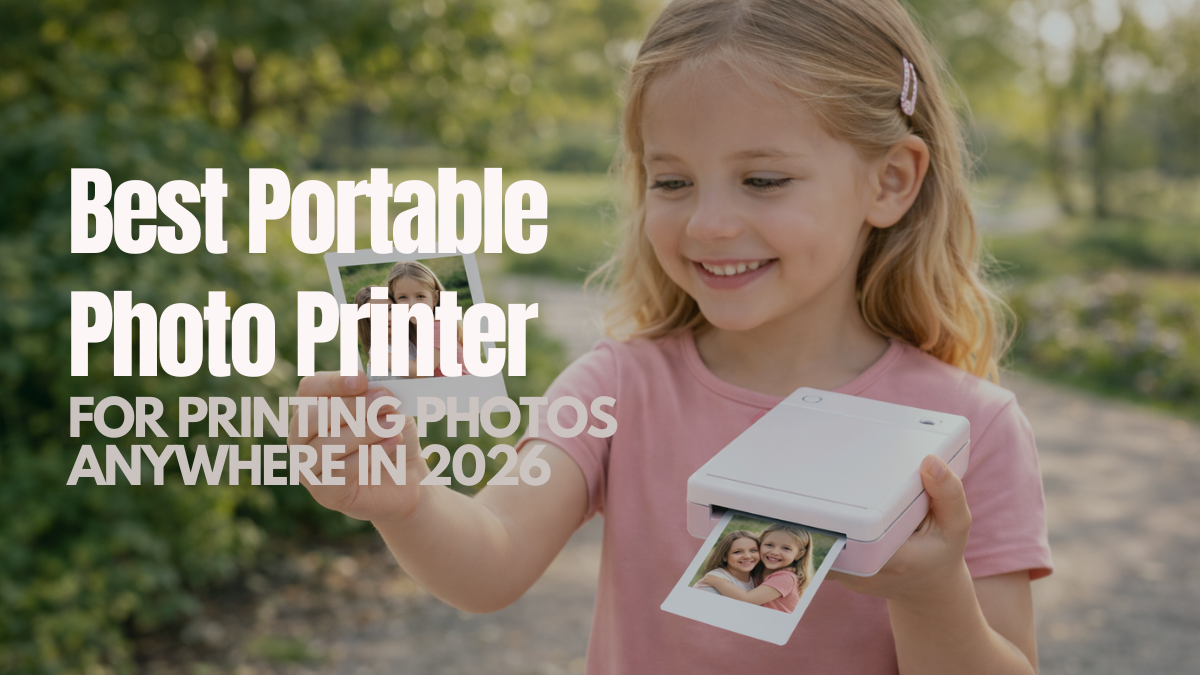
In a world where every moment is captured digitally, there’s something magical about holding a real photo in your hands. Portable photo printers are changing the game, letting photographers and enthusiasts turn their favorite snapshots into tangible memories anytime, anywhere. These compact photo printers are small enough to carry in a backpack, yet powerful enough to deliver impressive print quality. From weddings and parties to travel adventures, they make sharing photos fun, instant, and creative. But with so many options available, choosing the right mini photo printer can feel overwhelming. Should you go for dye-sublimation, instant film, or ZINK technology? How do you balance print quality, portability, and cost?
By the end of this article, you’ll learn:
- What a portable photo printer is and why it matters
- How to choose the best mini photo printer for your needs
- The top compact photo printers available in 2026 and their features
- How to print high-quality photos at home on the go
What Is a Portable Photo Printer?
It is a small, mobile device that prints photos directly from a smartphone, camera, or computer. Many small photo printers are producing instant, durable prints. A mini photo printer turns digital images into physical prints instantly. It’s perfect for sharing memories on the go, at events, or while traveling.
How a Compact Photo Printer Works
It connects via Bluetooth, Wi-Fi, or USB. After selecting an image through an app, it prints using dye-sublimation, instant film, or ZINK technology, applying colors to a photo paper in layers for crisp, smudge-proof results.
Difference Between Portable and Traditional Photo Printers
| Feature | Traditional Printer | Portable Photo Printer |
|---|---|---|
| Size | Large | Compact |
| Weight | Heavy | Lightweight |
| Portability | Not portable | Easy to carry |
| Ink System | Multiple ink cartridges | Ink-free or dye-sublimation |
| Print Speed | Slower | Fast |
| Usage | Home or office | Travel and on-the-go |
Why Photo Enthusiasts Are Switching to Compact Photo Printers
A mini photo printer lets photographers turn digital images into real prints instantly. It’s perfect for photo printing from smartphones or cameras and delivers sharp, vibrant results on photo paper, whether glossy vs matte photo paper. Many users also want to know how to print high-quality photos at home, and portable printers make it simple.
- Turning Digital Photos into Physical Prints: A mini photo printer creates lasting prints from digital images. The best mini photo printer produces high-quality photos without the bulk of a full-size printer.
- Printing Photos Instantly While Traveling or at Events: Mini photo printers are battery-powered and lightweight. A small photo printer fits in a backpack for printing on the go.
- Creative Uses: Sharing, Scrapbooking, Memory Keeping: With a portable picture printer, you can make albums, scrapbooks, or gifts. Prints can be shared instantly, adding fun and creativity to memories.
- Advantages of Compact Printers Over Full-Size Printers: These are portable, fast, and easy to use. They save space, reduce setup time, and deliver high-quality prints without multiple ink cartridges.
How to Choose the Best Portable Photo Printer?
Choosing the right mini photo printer depends on print quality, size, technology, connectivity, and running costs. A mini photo printer enables instant printing at home or on the go. Here are few important consideration before choosing the best printer:
1. Print Quality
Print quality defines a good mini photo printer. High resolution and accurate color matter most. Dye-sublimation models deliver smooth tones and durable prints. Instant film printers offer a classic look, while ZINK printers reduce cost with slightly less detail. A mini photo printer keeps photos sharp and vibrant.
2. Print Size and Format Options
A compact photo printer supports mini, square, wide, and sticker prints. Mini suits scrapbooks, square fits social media photos, wide works for group shots, and stickers add creativity. A best mini photo printer should offer multiple sizes for flexibility.
3. Printing Technology Explained (For Better Photo Quality)
- Dye-sublimation: Layer colors for smudge-proof, long-lasting prints.
- Instant film: Unique prints with instant development, ideal for gifts.
- ZINK inkless: Convenient, low-cost, and portable, but with lower resolution.
4. Connectivity and App Experience
Modern mini photo printers connect via Bluetooth, Wi-Fi, or USB. Mobile apps let you edit, add filters, or create collages before printing. A mobile photo printer with a good app enhances creativity and convenience.
5. Battery Life, Portability, and Build Quality
Battery-powered mini photo printers are travel-friendly. Pocket-sized models weigh a few hundred grams, while slightly larger compact photo printers offer extra features. Choose a printer that balances portability and build quality for on-the-go printing.
6. Cost per Print and Long-Term Value
Consider the cost of photo paper and cartridges. Dye-sublimation and instant film prints are higher per sheet, while ZINK is cheaper. The best mini photo printer should provide consistent quality without excessive running costs, making it a practical choice for casual and professional use.
Best Small Photo Printers for Photo Enthusiasts
Not every mini photo printer fits every need. Some focus on image quality, while others prioritize speed and fun mini prints. Choosing the right photo printer depends on how and where you plan to print photos.
1. HiTi Pringo P231 Pocket Printer Photo Paper and Ribbon
- Supports up to 30 photo prints per pack
- Print size: 2.1 × 3.4 inches
- Glossy paper finish for vibrant colors
- Paper and ink combo for easy replacement
- Lightweight and simple to change
Best Use For: This pack is best for casual photo printing with the HiTi Pringo P231 pocket printer, ideal for quick snapshots, travel memories, and everyday mini prints.
2. Xiaomi Photo Printer 1S
- Battery: 500mAh, ~20 prints per charge
- Printing: ZINK, 313 × 512 dpi, 2 × 3" prints
- Connectivity: Bluetooth 5.2, USB-C, up to 3 users
- Paper: Self-adhesive, 10-sheet tray
- Extras: Personalized borders, 8 filters, fast 45s/page
Best Use For: Perfect for on-the-go photo printing, travel, events, scrapbooks, and instant mini prints.
3. HP Sprocket 2x3 Instant Photo Printer (Luna Pearl)
- Printing: ZINK, 2 × 3" sticky-back photo paper
- Connectivity: Bluetooth 5.0, iOS & Android compatible
- Portability: Pocket-sized, rechargeable, ~35 prints/charge
- Extras: Filters, stickers, frames, AR features
- Weight & Speed: 6.1 oz, 1 ppm
Best Use For: Perfect for on-the-go photo printing, scrapbooks, social media prints, and instant personalized photos.
4. KODAK Step Instant Smartphone Photo Printer
- Printing: ZINK 2 × 3" sticky-back photo paper, color prints
- Connectivity: Bluetooth & NFC, iOS & Android compatible
- Portability: Palm-sized, lightweight (~0.07 kg), rechargeable battery, ~25 prints/charge
- Extras: App with filters, borders, stickers, text, and collage editing
- Technology: Zero-ink printing for durable
Best Use For: Ideal for on-the-go photo printing, social media posts, scrapbooking, and creative personalized projects.
5. HPRT MT53 Mini Photo Printer
- Printing: ZINK 2 × 3" sticky-back color photos, instant prints
- Connectivity: Bluetooth, compatible with iPhone & Android
- Portability: Compact, lightweight, rechargeable battery, fits in bag or pocket
- App Support: Heyphoto app for filters, frames, stickers, and easy editing
- Print Speed: Approx. 1 ppm, color & monochrome
Best Use For: Perfect for on-the-go photo printing, parties, travel, scrapbooking, personalized gifts, and fun sticker creations.
How to Print High-Quality Photos with a Portable Photo Printer
Printing high-quality photos at home or on the go is simple with a mini photo printer. These Printers turn digital images into sharp prints on photo paper. Proper image prep, paper choice, and handling improve results on any small photo printer.
Choosing the Right Photo Source (Smartphone vs Camera)
- High-resolution images produce sharper prints.
- DSLR or mirrorless camera photos give superior detail.
- Smartphones work well with mini photo printers, especially those with advanced sensors and editing apps.
- Match your source to the compact photo printer for best results.
Editing Photos Before Printing (Exposure, Crop, Color)
- Adjust exposure, brightness, and contrast for balanced prints.
- Crop to remove distractions and match the intended print size.
- Fine-tune colors for realistic or creative effects.
- Editing before printing ensures your portable picture printer produces high-quality output.
Matching Paper Type to Your Printing Needs
- Choose glossy vs matte photo paper based on preference: glossy for vibrant colors, matte for subdued tones.
- Mini, square, or wide photo paper sizes affect the final look.
- Use compatible paper with your best mini photo printer for durable results.
Common Mistakes to Avoid When Buying a Mini Photo Printer
Buying the wrong mini photo printer wastes money and lowers print quality. Focus on running costs, print technology, and app compatibility. Choosing the right mini photo printer ensures better performance. Proper use of a mobile photo printer improves how to print high-quality photos at home.
- Focusing Only on Price: Choosing a mini photo printer solely based on cost can lead to poor print quality and a shorter lifespan. Always balance price with performance when selecting a compact photo printer.
- Ignoring Running Costs: Running costs, including photo paper and ink or film cartridges, vary by technology. Dye-sublimation and instant film printers cost more per print, while ZINK printers are cheaper but offer lower detail.
- Choosing the Wrong Print Technology: Print technology affects color, detail, and durability. Dye-sublimation printers produce high-quality long-lasting prints, instant film (Instax) gives quick fun results, and ZINK inkless printers are portable and inexpensive but less detailed.
Conclusion
A portable photo printer makes it easy to turn digital moments into lasting memories. Whether you choose a compact photo printer, or a small photo printer, the right choice depends on print quality, size, and running costs. Understanding print technology helps you get better results from a mobile photo printer. Choosing the right photo paper also improves print quality. Modern portable printers offer convenience without sacrificing creativity. With the right setup, you can enjoy reliable photo printing anywhere.
Ready to bring your photos to life? Explore the best mini photo printer options today and start printing memories on the go.
Frequently Asked Questions
1. Can a portable photo printer produce high-quality prints?
Modern mini photo printers are capable of producing sharp, vibrant prints with accurate colors. When used with the right photo paper and settings, even mini photo printers can deliver results that rival traditional printers, making them perfect for instant snapshots or creative projects.
2. Are portable photo printers expensive to maintain?
Running costs for portable picture printers are generally low, especially with ZINK paper or affordable refill packs. The mini photo printers are designed for efficient photo printing, so you can enjoy frequent prints without worrying about high ongoing expenses.
3. Are Mini photo printers only for casual users?
Mini photo printers are suitable for both casual users and enthusiasts alike. They are ideal for scrapbooking, travel, events, or even professional-quality prints, offering flexibility in printing high-quality photos at home without the bulk of traditional printers.
Related Articles
How to Print High-Quality Photos at Home?
Photo Printing with 4-Color vs. 6-Color Ink: Who Wins?
Best Photo Paper for Inkjet Printer: Different Types | Guide