
Best Small Office Laser Printer: Save Time, Money & Hassle
| Feb 04, 2026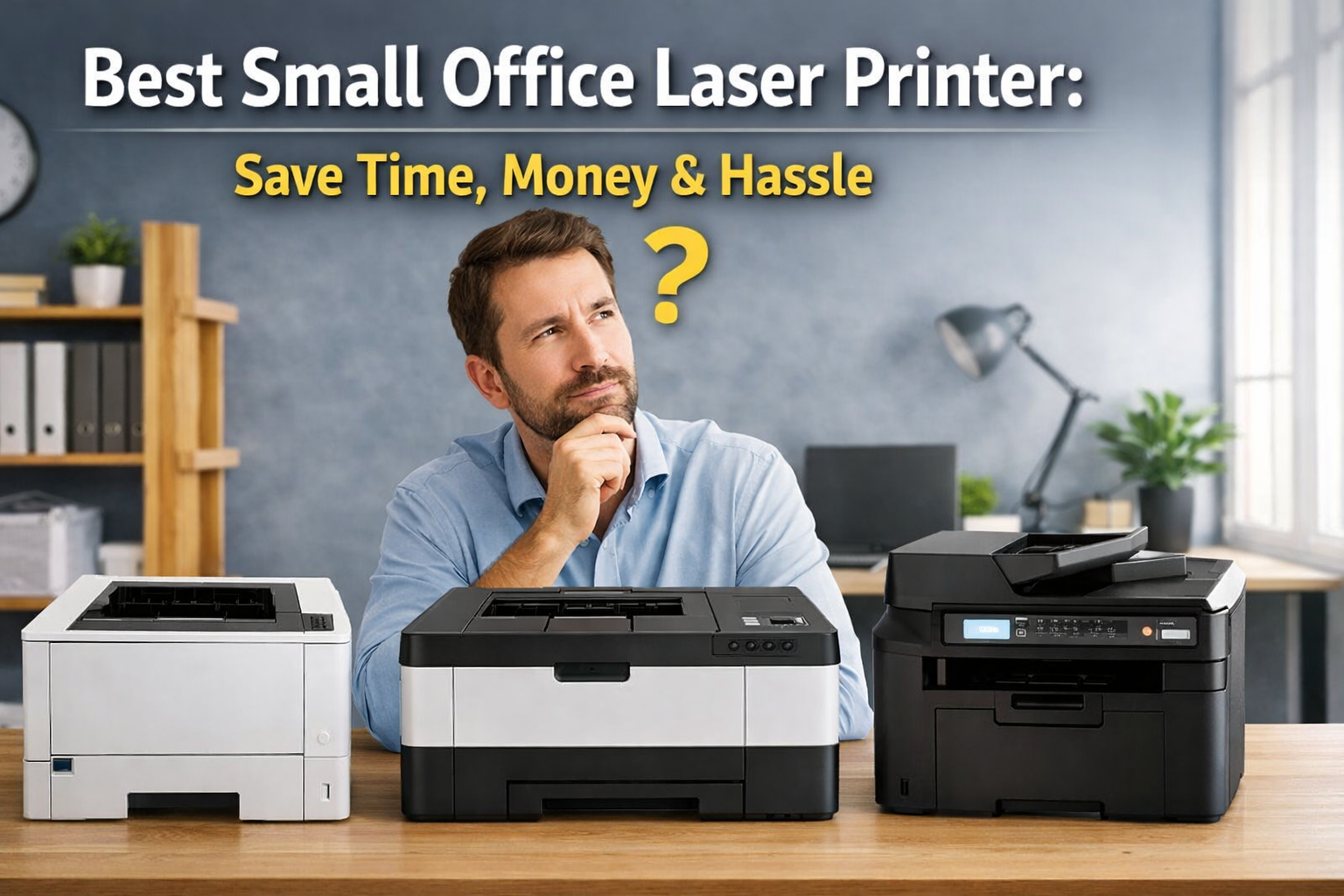
Printing problems can quietly slow down a growing business, and most new owners realize it only when deadlines start slipping. From invoices to contracts, a small office depends on fast, reliable printing every single day. This is where choosing the best small office laser printer makes a real difference. When comparing a laser printer vs inkjet printer, laser models perform better in office environments.
For startups and home offices, the right laser printer for small business use helps avoid wasted time and constant maintenance. It also delivers sharp, professional documents that reflect your brand’s credibility. That’s why many experts now recommend laser printers over inkjets for office environments.
In this article, you’ll learn:
- Why a laser printer is essential for small businesses
- Key features to look for in the small office laser printer
- How to choose the right laser printer for your small business needs
Why Is the Best Small Office Laser Printer Necessary for a Small Business?
Printing is a daily task for small businesses. Laser printers print faster, break down less, and cost less to maintain over time. That’s why choosing the best laser printer is essential for smooth operations. A dependable small office laser printer reduces downtime and supports steady business growth.
Laser Printer vs Inkjet for Small Office Use
- Speed, Reliability, and Uptime for Business Workflows: Laser printers start quickly and handle bulk jobs without slowing down. They stay connected and work consistently during busy hours. A laser printer for small businesses keeps workflows moving, unlike inkjets that pause or disconnect.
- Print Quality for Invoices, Contracts, and Reports: Laser printers produce sharp, clean text. This is critical for professional documents. The best office laser printer for small businesses ensures every page looks clear and readable.
- Long-Term Cost Savings for Small Businesses: Ink cartridges run out fast. Toner lasts longer and prints more pages. Many models support the cheapest laser printer toners, lowering the cost per page. Over time, the best laser printers for small businesses cost less than inkjets.
Benefits of Using a Laser Printer in a Small Office
- Faster Printing for Multitasking Offices: A fast, small office laser printer handles large print jobs without delays. Teams spend less time waiting and more time working.
- Low Maintenance and No Ink Clogging Issues: Laser printers use dry toner. They work even after weeks of no use. A laser printer for a small business requires less maintenance and fewer repairs.
- Consistent Performance for Occasional and Daily Printing: Understanding how a laser printer works explains its reliability. Toner and heat create stable prints. This makes a small office laser printer dependable for both light and heavy use.
How to Choose the Best Small Office Laser Printer
Choosing the right printer impacts productivity and costs. Laser printers for small businesses handle heavy workloads, stay reliable on Wi-Fi, and cost less per page than inkjets. To pick the best laser printer, focus on speed, print quality, operating cost, features, and connectivity.
1. Print Speed and Monthly Volume for Small Businesses
- Pages Per Minute (PPM) Explained: PPM shows how fast a printer works. Most small offices need 25–35 PPM. A slower printer causes delays during busy hours. The best small office laser printer delivers fast output without warm-up time, which keeps work moving.
- Matching Printer Capacity to Small Office Workloads: Every printer has a monthly volume limit. Choose a laser printer for small business that exceeds your average usage. This prevents wear and reduces breakdowns. The best laser printers for small business are built for steady, repeated use.
2. Print Quality for Business Documents
- Sharp Text and Professional-Looking Graphics: Laser printers produce clean text and clear lines. This matters for invoices, contracts, and reports. The best office laser printer for small business ensures documents always look professional.
- Monochrome vs Color Laser Printers for Small Offices: Monochrome printers cost less and suit text-heavy work. Color models are better for charts, branding, or presentations. The best laser printer depends on whether your business needs color output.
3. Operating Cost and Toner Efficiency
- Cost per Page for Laser Printers: Laser printers have a lower cost per page than inkjets. Toner prints thousands of pages before replacement. This makes a laser printer for small business easier to budget.
- Standard vs High-Yield Toner Cartridges: High-yield toner lasts longer and reduces replacement frequency. Many offices prefer models that support affordable laser toners for long-term savings.
- Drum Unit Considerations for Small Business Owners: Some printers use a separate drum unit. Others combine it with toner. Separate drums last longer but cost extra when replaced. Choose based on budget and print volume.
4. All-in-One Laser Printers vs Print-Only Models
- When Scanning and Copying Are Essential: If you scan contracts or copy documents often, choose an all-in-one best small office laser printer. Print-only models work for basic needs.
- Importance of ADF and Duplex Scanning for Offices: An automatic document feeder saves time. Duplex scanning handles double-sided pages. This feature matters for a laser printer for small business if efficiency is also a priority.
5. Connectivity, Security, and Ease of Use
- Wi-Fi Stability and Ethernet Connectivity: A printer should stay connected. Ethernet adds reliability. The best laser printer avoids frequent reconnects and network errors.
- Mobile Printing and Business Security Features: Mobile printing helps teams work faster. Security settings protect sensitive data. These features separate basic models from the best laser printers for small business.
Best Laser Printers for Small Businesses (2026 Picks)
Here are some excellent laser printer options that cover a wide range of small office needs, from affordable everyday printing to versatile all‑in‑one solutions, suitable for different budgets and business workloads.
1. Brother MFC-L2820DW Laser Printer
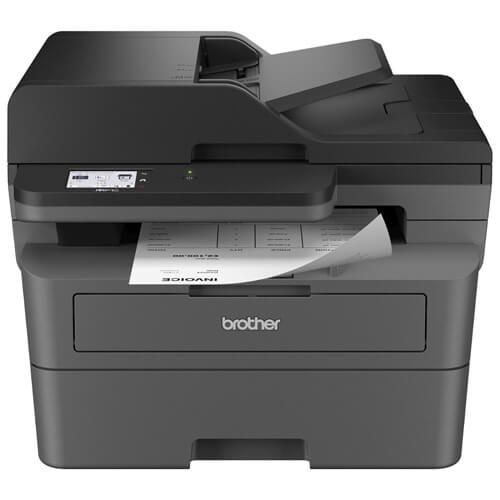
- Fast Multi-Function Printing: Prints up to 34 ppm with automatic duplex. Scan, copy, and fax using a 50-page auto document feeder and 250-sheet paper tray.
- Cloud & Mobile Access: 2.7” touchscreen lets you print from and scan to cloud apps like Google Drive and Dropbox. Manage remotely with Brother Mobile Connect.
- Reliable Supplies: Uses Brother Genuine toner (Standard, High Yield, Value High Yield) and DR830 Drum Unit. An optional Refresh EZ Print subscription prevents toner shortages.
- Toner: Brother TN830 Black Toner Cartridge - Black
Best For:
- Small offices needing a high-volume black & white printer.
2. Brother DCP-L2640DW Monochrome Multi-Function Laser Printer
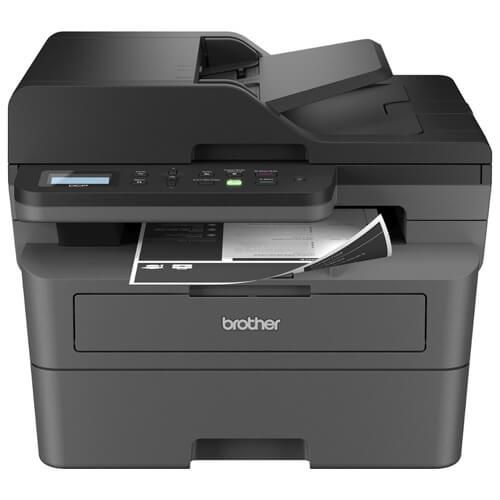
- Fast Printing, Scanning & Copying: Prints up to 36 ppm with automatic duplex. The 50-page auto document feeder and 250-sheet paper tray handle multi-page jobs efficiently.
- Reliable & High-Quality Output: Consistent black & white prints for professional documents using Brother Genuine toner cartridges (Standard, High Yield, Value High Yield, Twin-Pack) and DR830 Drum Unit.
- Cloud & Mobile Ready: Print and scan from popular cloud apps. Use Brother Mobile Connect to manage the printer remotely and track supplies.
- Toner: Brother TN830 Black Toner Cartridge - Black
Best For:
- Small offices needing a high-volume black & white printer.
3. Brother HL-L2460DW Wireless Compact Monochrome Laser Printer
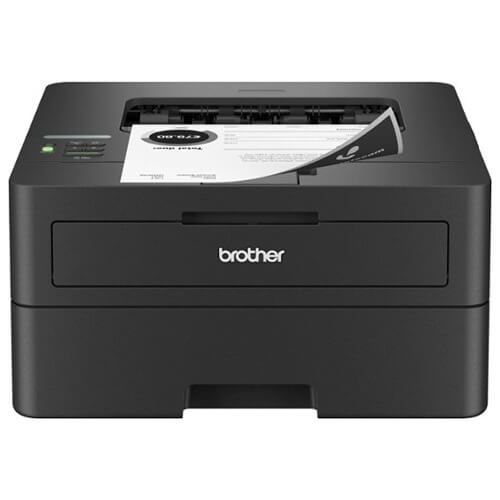
- Fast & Efficient Printing: Prints up to 36 ppm with automatic duplex printing. The 250-sheet paper tray reduces refills, and the manual feed slot handles envelopes and specialty paper.
- Consistent, High-Quality Output: Produces crisp, easy-to-read black & white documents using Brother Genuine toner cartridges (Standard, High Yield, Value High Yield, Twin-Pack) and DR830 Drum Unit.
- Mobile & Flexible Connectivity: Print from anywhere with Brother Mobile Connect. Connect via dual-band wireless, Ethernet, or USB for convenience and secure printing.
- Toner: Brother TN830 Black Toner Cartridge - Black
Best For:
- Small offices needing a compact, high-volume black & white printer.
4. Brother MFC-L3780CDW Wireless All-in-One Color Laser Printer
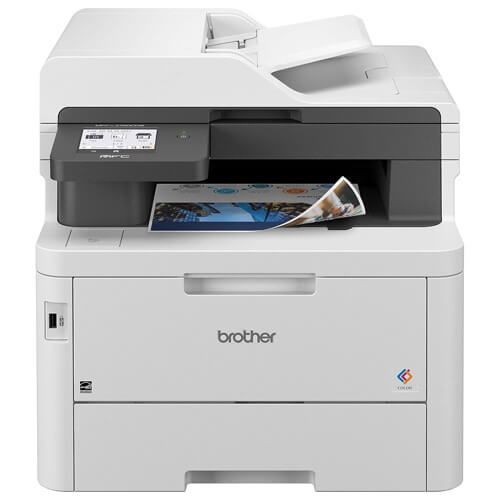
- High-Quality Color Printing: Delivers consistent, smudge-free, laser-quality prints that make professional documents stand out.
- All-in-One Productivity: Print, copy, scan, and fax with single-pass duplex scanning and printing. Print speeds up to 31 ppm, and scan speeds up to 29/22 ipm (black/color) boost office efficiency.
- Flexible Connectivity & Cloud Integration: Dual-band wireless, Gigabit Ethernet, Wi-Fi Direct®, and USB connectivity. Its 3.5” touchscreen allows printing/scanning to popular cloud apps like Google Drive™, Dropbox, Evernote, and OneNote.
- Toner: Brother TN229 Toner Cartridges Combo Pack of 4
Best For:
- Small offices need a reliable, high-volume color laser printer for business documents.
5. Canon Color imageCLASS MF656Cdw Laser Printer
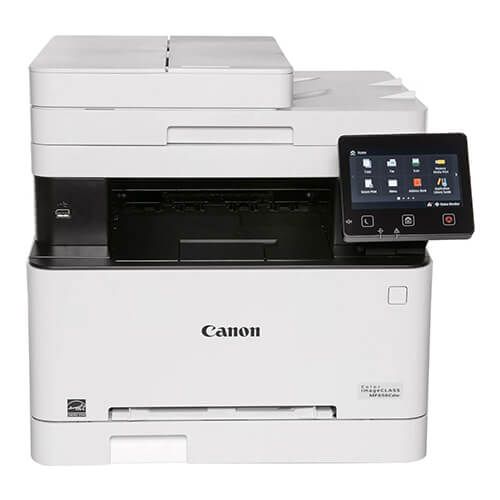
- All-in-One Functionality: Print, copy, scan, and fax in one compact device, designed for small office efficiency.
- Reliable Performance: Prints up to 22 pages per minute (BW and color) with high-capacity Canon Genuine Toner 067 / 067 H to reduce interruptions.
- User-Friendly Interface: 5” color touchscreen and easy Wi-Fi setup in four simple steps for quick access and management.
- Toner: Canon 067 Toner Cartridges Combo Pack of 4
Best For:
- Small offices or teams need a versatile color laser printer for everyday business tasks.
How to Choose the Right Laser Printer for Your Small Business
Printer choice affects cost and daily efficiency. Testing shows laser models handle office workloads better than inkjets. When comparing a laser printer and an inkjet printer, laser printers print faster, stay reliable, and cost less per page. For most offices, the best small office laser printer is the practical option. Choosing the right laser printer for a small business depends on size, budget, and real usage.
Matching the Best Laser Printer to Business Size and Budget
Start with print volume. A small team can use a compact office laser printer. Larger teams need higher speed and duty cycles. Always choose a laser printer for small business with a capacity above your monthly use.
Control running costs. Look for low cost per page and support cheap laser printer toners. High-yield toner reduces replacements. It’s vital to understand how does a laser printer work which would explain this—toner lasts longer than ink and prints consistently.
Choose only the needed features:
- Print-only for basic documents
- All-in-one for scanning and copying
- Monochrome to save money
- Color for graphics and branding
Common Mistakes to Avoid When Choosing a Laser Printer for Small Business
New owners often overspend or choose the wrong type. Avoid these errors:
- Choosing an inkjet instead of a laser
- Ignoring monthly volume limits
- Overlooking toner cost and page yield
- Paying for unused features
Conclusion
Investing in the best small office laser printer is one of the smartest moves for any small business. Laser printers deliver faster printing, consistent quality, and lower long-term costs compared to inkjets. They handle high-volume tasks, maintain reliability over time, and reduce maintenance headaches. A laser printer for small business ensures invoices, contracts, and reports always look professional. Features like duplex scanning, ADF, and wireless connectivity make daily operations smoother. Choosing the right small office laser printer also helps control expenses with long-lasting toner and lower cost per page. By considering speed, print quality, and operating cost, business owners can select the most efficient printer for their needs. Avoiding common mistakes like buying low-capacity or unnecessary-feature printers ensures long-term satisfaction. Overall, a best office laser printer for small businesses boosts productivity, reduces downtime, and supports growth.
Start optimizing your office printing today and pick the best laser printer for your small business!
Frequently Asked Questions
1. Are laser printers expensive for small businesses?
While upfront costs may be higher than inkjets, laser printers for small businesses save money over time with lower toner costs, minimal maintenance, and faster printing.
2. Do small offices need a color laser printer?
Color printing can enhance professional documents, charts, and branding. The best laser printer with color is practical for small offices without adding unnecessary expense.
3. Can an inkjet printer replace a laser printer in a small office?
Inkjets work for occasional printing but are slower, prone to clogs, and cost more in the long run. The best office laser printer for small business delivers fast, reliable, and consistent results.
Related Articles
Laser Printer vs Inkjet Printer: Which is best for Business?
6 Best Budget Laser Printer Options for Affordable Printing Needs