
Best Third Party Ink Cartridges for HP Printers: A Buyer’s Guide
| Nov 06, 2026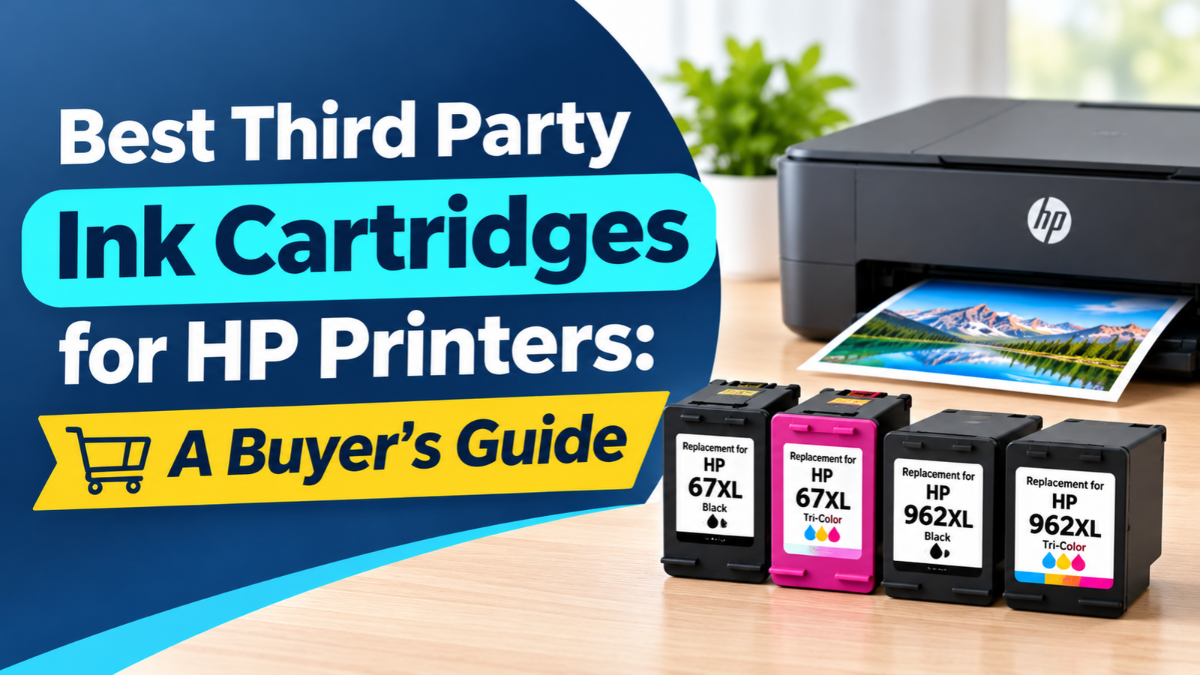
Original HP ink is expensive, and a full set of replacements can feel like a second printer purchase. If you’re searching for the best third party ink cartridges for HP printers, you’re in the right place. Pairing smart buying with a few habits that lower ink consumption can cut your printing costs dramatically without hurting your prints. This guide explains the best third party ink for HP printers, what types are available, and how to pick one with confidence.
Why HP Owners Are Switching to Third-Party Ink
Printers are often sold cheaply because the real cost comes later, in the cartridges. That’s why more people are turning to aftermarket ink cartridges, which are made by companies other than HP. They’re often 50 to 75 percent cheaper than original cartridges, according to CompAndSave’s own estimates.
Here’s why they’re popular:
- Lower cost per page, which adds up fast if you print weekly.
- Everyday quality that works well for school assignments, reports, and home projects.
- Eco-friendly options, since some cartridges are reused instead of thrown away.
- Satisfaction guarantees from trusted suppliers, which give you a safety net.
Compatible vs. Remanufactured: What’s the Difference?
There are two main types of third-party cartridges, and knowing the difference makes shopping much easier.
- Compatible ink cartridges are brand-new cartridges made by a third-party company to fit your HP printer. They come with new parts, including a new chip.
- Remanufactured ink cartridges start as original HP cartridges. They’re cleaned, tested, repaired, and refilled so they can be used again.
Which should you pick? If you want a brand-new cartridge at a low price, compatible is a great fit. If you’d like a more eco-friendly option that still uses a genuine HP cartridge body, go with remanufactured. Both can deliver good results for everyday printing.
Best Third Party Ink Cartridges for HP: What to Look For
Not every cartridge is created equal. When you compare the best third party ink cartridges for HP, check for these signs of quality:
- An exact model match. Look for the number printed on your current cartridge, such as HP 63XL, 67XL, 952XL, or 564XL. Even small differences can mean a cartridge won’t fit or work.
- A clear compatibility list. Good sellers let you search by your printer model so you can confirm it works.
- A satisfaction guarantee. A one-year guarantee, like the one CompAndSave offers, shows the seller stands behind its ink.
- Helpful customer support. If something goes wrong, you want a real person to help.
- Honest reviews. Look for feedback from people using the same HP printer as you.
Be cautious of unusually cheap, no-name cartridges. Low-grade ink is where most of the horror stories come from.
How to Choose the Best Third Party Ink for HP Printers
Follow these five simple steps to buy the right cartridge the first time:
- Find your cartridge number. Check the old cartridge or your printer’s manual.
- Check your printer model. Models ending in “e” may have extra restrictions (more on that below).
- Pick your type. Choose compatible for brand-new, or remanufactured for a greener option.
- Compare cost per page. High-yield cartridges often cost less per page than standard sizes.
- Confirm the guarantee and return policy before you buy.
Popular HP Cartridge Numbers and What They Fit
Not sure which number to look for? These four are among the most common HP cartridges, and each comes in a high-yield “XL” size that prints more pages per cartridge.
Be cautious of unusually cheap, no-name cartridges. Low-grade ink is where most of the horror stories come from.
| Cartridge | Colors | Typically Used In | Approx. Page Yield** | Single Cartridge From* |
|---|---|---|---|---|
| HP 63XL | Black, tri-color | Entry-level DeskJet, ENVY, and OfficeJet printers | Black: 480 / Color: 330 | $16.95 |
| HP 67XL | Black, tri-color | Newer DeskJet and ENVY printers, many ending in “e” | Black: 240 / Color: 200 | $18.95 |
| HP 952XL | Black, cyan, magenta, yellow | OfficeJet and OfficeJet Pro printers | Black: 2,000 / Each color: 1,450 | $11.95 |
| HP 564XL | Black, photo black, cyan, magenta, yellow | Older PhotoSmart, DeskJet 3520, and OfficeJet 4610 printers | Black: 550 / Each color: 750 / Photo black: 290 | $5.99 |
*****Prices from CompAndSave as of November 2026. They change often, so check the current price before you buy. ******Estimated pages at 5% page coverage, which means a typical text document. Your actual results will vary with what you print.
Quick notes on each:
- HP 63XL: Combo packs lower the cost per cartridge.
- HP 67XL: Check for HP+ first, since many printers that use this cartridge end in “e.”
- HP 952XL: Sold as singles, a 4-pack with all four colors, or a 10-pack, which suits busy home offices.
- HP 564XL: The cheapest per cartridge of the four.
Quick tip: An XL cartridge and its standard version fit the same printers. The XL simply holds more ink. Never mix numbers, since an HP 65 won’t work in a printer that uses the HP 67.
HP Aftermarket Ink and HP+ Printers: What to Check
This is the one area where HP owners need to be careful. Some newer HP printers, especially models ending in “e,” can be set up with HP+ or with an HP ink subscription. These programs may restrict the printer to original HP cartridges, which means HP aftermarket ink may not work.
For example, CompAndSave notes that its remanufactured HP 923 and 923e cartridges aren’t compatible with “e” printers that have HP+ activated. Before you buy the best third party ink for HP printers, check whether HP+ or a subscription plan is turned on for your printer. Policies and firmware can change, so always read the seller’s compatibility note and ask if you’re unsure.
Is HP 3rd Party Ink Safe for Your Printer?
Good-quality ink from a reputable supplier is generally safe for everyday use. Most problems come from cheap, low-grade cartridges, not from third-party ink itself.
What about your warranty? In the U.S., using third-party cartridges doesn’t automatically void your printer warranty, according to CompAndSave and the Magnuson-Moss Warranty Act. A manufacturer would have to show that the cartridge caused the damage. I’m not a lawyer, so check your warranty terms or ask your seller if you have concerns.
What about printer errors? Occasionally, a printer may fail to recognize a new cartridge. This is usually fixable by reseating the cartridge or cleaning its contacts. Using HP printer 3rd party ink from a trusted source reduces the chances of this happening.
Tips for Installing Third-Party Cartridges
A smooth install helps you avoid most issues:
- Remove all tape and plastic covers from the new cartridge.
- Insert it firmly until it clicks into place.
- Wait for the printer to finish its startup routine before printing.
- Print a test page to check that colors and text look right.
- Don’t be alarmed by ink level readings. Printers estimate ink levels, so third-party cartridges can sometimes show inaccurate readings. Judge by your prints, not just the meter.
Keep spare cartridges sealed in a cool, dry place until you need them.
Quick Buying Checklist
Before you click “Buy,” run through this list:
- My cartridge number matches the listing exactly.
- My printer model is on the compatibility list.
- I’ve checked for HP+ or an ink subscription.
- The seller offers a guarantee and responsive support.
- The price is reasonable (not suspiciously low).
Final Thoughts
Finding the best third party ink cartridges for HP printers comes down to a few smart checks: match your exact model, choose between compatible and remanufactured, watch out for HP+ restrictions, and buy from a supplier that stands behind its products. Follow these steps and you’ll find the best third party ink for HP printers, save money on every page, and keep your prints looking sharp.
Frequently Asked Questions
1. Can I use HP 3rd party ink in any HP printer?
Most HP printers accept third-party cartridges, but not all. Printers with HP+ or a subscription plan activated may reject them. Always check compatibility for your exact model before buying.
2. Will HP aftermarket ink damage my printer?
Quality ink from a trusted supplier should not damage your printer. Problems usually come from low-grade cartridges, so choose a seller that offers a guarantee and support.
3. Is third-party ink as good as original HP ink?
For everyday documents and general printing, many people see little difference. For photos you plan to display for years, test a few prints, since some third-party inks can fade faster than original ink.
4. Does HP printer 3rd party ink void my warranty?
In the U.S., using third-party cartridges doesn’t automatically void your warranty. Check your warranty terms if you’re unsure.
5. How much can I save with third-party cartridges?
Savings vary by model, but compatible and remanufactured cartridges can often cost 50 to 75 percent less than original HP cartridges.
Related Articles
HP Printer Uses Too Much Ink? Ways to Lower Ink Consumption
Best Third Party Ink Cartridges for Canon – Stop Overpaying for Ink
Cheap Printer Cartridges: Deciding Between Compatible, Remanufactured, and Refillable Options