
Canon Drum: What It Is, When to Replace It, and How It Works
| Aug 14, 2026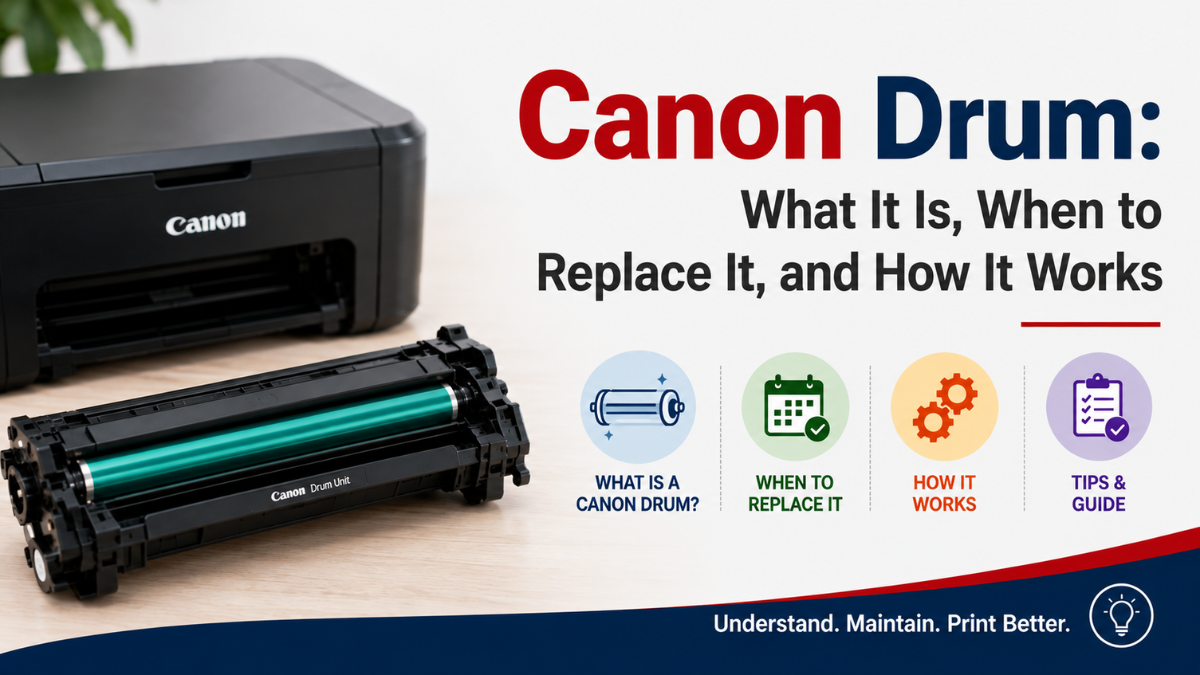
If you’ve noticed streaks, spots, or uneven printing from your Canon laser printer, the toner cartridge may not always be the problem. The Canon drum is another important component that plays a major role in producing clear, consistent prints.
If you’re familiar with replacing Canon printer toner cartridges, you may already know that toner is responsible for supplying the powder used to create text and images. The drum works alongside the toner to transfer that image onto the paper.
Understanding the difference between toner and a Canon drum unit can help you determine which component may need attention when print quality starts to decline. In this guide, we’ll explain what a Canon drum cartridge does, how it works, common signs of a faulty drum, and when you may need to replace it.
What Is a Canon Drum?
A Canon drum is a component inside many Canon laser printers and copiers that helps transfer toner onto paper. It works together with the toner cartridge to create the text, graphics, and images you see on your printed documents.
Think of the drum as an important part of the printing process that helps put the toner in the right places on the page.
Depending on the Canon printer model, the drum may be:
- A separate unit from the toner cartridge
- Built into the toner cartridge
- Designed to be replaced independently
Because printer designs vary, it’s important to check your specific Canon model before purchasing a replacement drum.
Canon Drum vs. Toner: What’s the Difference?
The drum and toner have different jobs.
Toner: Contains the powder used to create the printed image.
Drum: Helps transfer that toner image onto the paper.
This means replacing a toner cartridge won’t necessarily solve every print-quality problem. If your printer continues producing repeated spots, lines, or other marks after installing a new toner cartridge, the drum may need to be checked.
If you’re looking for an OEM or Canon printer toner replacement, make sure you understand whether your printer uses a separate drum unit or a toner cartridge with an integrated drum.
How Does a Canon Drum Unit Work?
You don’t need to understand the technical details to know what a Canon drum unit does.
During printing, the drum helps form the image that will eventually appear on the paper. Toner is then transferred to the appropriate areas, and the printer uses heat to fix the toner onto the page.
In simple terms:
Drum prepares the image → Toner is transferred → Image moves to paper → Heat fixes the toner
The drum repeats this process every time you print. Because it is used continuously, it can eventually wear out or become damaged.
What about a Canon Drum Cartridge?
A Canon drum cartridge is a replacement component designed for a specific Canon laser printer or copier. Depending on the printer model, the term may refer to a standalone drum unit or a cartridge that contains the drum as part of its design.
This is why you should always check your printer’s model and recommended replacement part before purchasing.
A drum that physically looks similar to the one inside your printer may not necessarily be compatible with it.
Common Signs of a Faulty Canon Drum Unit
A worn or damaged drum can cause noticeable changes in your printed documents. If you experience any of the following problems, the drum may need to be inspected.
1. Repeating Spots or Dots
Small black or gray spots that appear repeatedly down several pages can be a sign of a worn or damaged drum.
2. Vertical Lines or Streaks
Lines may appear repeatedly on printed pages. If you’re seeing laser printer vertical white lines, the drum may be one possible cause, although other printer components or toner issues can also produce similar symptoms.
3. Ghost Images
You may see a faint copy of text or an image appearing elsewhere on the same page. This is sometimes called ghosting and can be associated with drum-related problems.
4. Gray or Dirty-Looking Pages
Instead of a clean white background, the entire page may have a gray or uneven appearance.
5. Black Marks or Smudges
A damaged drum can sometimes leave unwanted marks on printed pages.
6. Uneven Print Quality
Some areas of the page may look darker or lighter than others, even when the toner cartridge still has toner remaining.
7. Problems Continue After Replacing Toner
If you’ve already installed a new toner cartridge and the same marks or patterns continue appearing, the drum may be the component that needs attention.
However, these symptoms don’t automatically mean the drum needs replacement. Paper, toner, printer settings, and other components can also affect print quality.
When Should You Replace a Canon Drum?
Unlike toner, which is generally replaced when it runs low, a Canon drum is usually replaced after it reaches the end of its expected service life or becomes worn or damaged.
Your printer may display a message indicating that the drum needs to be replaced. You may also notice ongoing print-quality problems.
Consider checking the drum if:
- Your printer displays a drum replacement warning
- Repeated spots or lines appear on documents
- Ghost images continue appearing
- Print quality remains poor after replacing toner
- The drum has visible damage
- The drum has reached its expected page yield
The expected lifespan varies depending on the Canon printer model and how frequently you use it. For the most accurate information, check your printer’s manual or product documentation.
Do You Need to Replace the Drum or Toner?
This is one of the most common questions when troubleshooting a laser printer.
A simple comparison can help:
| Print Problem | Possible Cause |
|---|---|
| Faded or light text | Low toner |
| Low-toner warning | Toner cartridge |
| Repeating black spots | Drum or other components |
| Repeating lines | Drum or other components |
| Ghost images | Drum or other components |
| Gray background | Toner, drum, or other components |
| Problems continue after new toner | Drum or another printer component |
These are general guidelines rather than guaranteed diagnoses. If you’re unsure, check your printer’s error messages and maintenance instructions before purchasing a replacement part.
How to Replace a Canon Drum Unit
The replacement process depends on your Canon printer model. Some printers have separate toner and drum units, while others use a cartridge that combines them.
For models with a separate drum unit, the process generally involves:
- Turn off the printer if required.
- Open the appropriate printer cover.
- Remove the toner cartridge.
- Remove the old drum unit.
- Prepare the new drum according to its instructions.
- Install the new drum unit.
- Reinstall the toner cartridge.
- Close the printer cover.
- Reset the drum counter if your model requires it.
- Print a test page.
Always follow the instructions for your particular Canon printer. Avoid touching sensitive surfaces of the drum because fingerprints, dirt, or scratches can affect print quality.
If you also need to replace the toner, follow the appropriate instructions for changing toner in Canon printer models rather than assuming the drum and toner are replaced in exactly the same way.
OEM vs. Compatible Canon Drums
When it’s time to replace a drum, you may find both OEM and compatible options.
OEM Canon Drum
An OEM drum is manufactured by Canon for use with compatible Canon printers and copiers. Some users prefer OEM components because they want to continue using supplies from the printer manufacturer.
Compatible Canon Drum
A compatible Canon drum unit is manufactured by a third-party company and designed to work with specific Canon models.
For users looking to reduce printing expenses, a quality compatible drum can be an alternative to an OEM replacement.
Before buying a compatible drum, check:
- Your exact Canon printer model
- The drum part number
- Whether the drum is separate from the toner
- Expected page yield
- Supplier reputation
- Return or replacement policy
Compatibility should always be the first priority. A lower-priced drum isn’t a good value if it isn’t designed for your printer.
Tips for Getting Better Results From Your Canon Drum
Proper handling and routine printer care can help you get consistent results from your drum unit.
Handle the Drum Carefully
Avoid touching the drum’s sensitive surface. Hold the unit by the areas intended for handling.
Keep Replacement Drums Protected
Don’t remove a new drum from its protective packaging until you’re ready to install it.
Keep Your Printer Clean
Dust and toner buildup can contribute to print-quality problems. Follow your printer manufacturer’s cleaning and maintenance instructions.
Don’t Replace the Drum Unnecessarily
If you’re experiencing faded printing, check the toner first. A drum replacement may not be necessary if the problem is simply an empty or low toner cartridge.
Check the Printer’s Instructions
Canon printer models can have different drum designs and replacement procedures. Always refer to the instructions specific to your model.
Conclusion
A Canon drum is an important part of the laser printing process, working alongside the toner cartridge to produce clear text and images. Understanding what the drum does can make it easier to identify whether a print-quality problem is caused by the toner, drum, or another printer component.
If you notice repeated spots, lines, ghost images, or other unusual marks, check your Canon drum unit before automatically purchasing another toner cartridge. When replacement is necessary, verify your printer model and drum part number, and compare OEM and compatible options based on compatibility, quality, and value.
With the right replacement and proper handling, your drum unit can continue helping your printer produce clean, consistent documents.
Frequently Asked Questions
1. Is a Canon drum the same as a toner cartridge?
No. The toner cartridge contains the toner powder, while the drum helps transfer the toner image onto the paper. Some Canon printers use separate toner and drum units, while others combine them.
2. How do I know if my Canon drum unit needs replacing?
Repeated spots, lines, ghost images, gray backgrounds, or other print defects can indicate a drum problem. A printer warning or message may also tell you when the drum has reached the end of its expected life.
3. Can I replace the Canon drum without replacing the toner?
Yes, if your Canon printer uses separate toner and drum units. In this case, you can replace the drum while continuing to use the toner cartridge if it still has toner remaining and is functioning properly.
4. How long does a Canon drum unit last?
Drum life varies by printer model, drum design, and printing volume. Check your Canon printer’s specifications or manual for the expected page yield.
5. Can I use a compatible Canon drum cartridge?
Yes. Compatible drum cartridges are available for many Canon printer and copier models. Just make sure the replacement is specifically designed for your exact model and cartridge or drum number.
Related Articles
Canon Printer Toner Cartridges: What You Need to Know
Canon Printer Toner Replacement: Choosing the Right Cartridge
Changing Toner in a Canon Printer: A Step-by-Step Guide
Laser Printer Vertical White Lines: Fix Streaks & Restore Quality