
Canon Printer Toner Cartridges: What You Need to Know
| Aug 10, 2026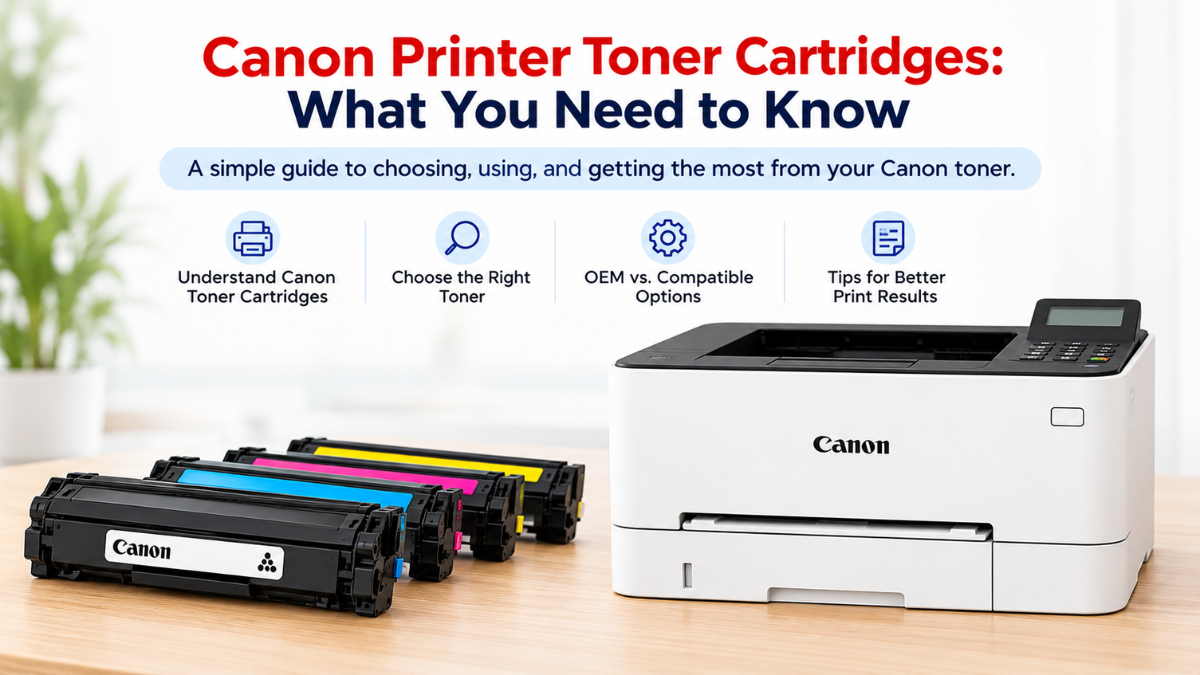
Choosing the right Canon printer toner cartridges can be confusing, especially if you’re replacing a cartridge for the first time. You may wonder which cartridge your printer needs, whether you should choose an original or compatible option, and how long the toner will last.
If you’ve ever searched for what is a toner cartridge, you’re not alone. Toner cartridges are used in laser printers to create sharp text and images on paper, but they work differently from the liquid ink used in inkjet printers.
This guide explains what you need to know about a Canon toner cartridge, how to choose the right toner for Canon printer models, and how to get reliable results while keeping printing costs manageable.
What Is a Canon Toner Cartridge?
A Canon toner cartridge is a replaceable supply used in Canon laser printers. Instead of liquid ink, it contains a fine powder called toner that is transferred onto paper during the printing process.
Canon offers laser printers for different printing needs, from simple black-and-white documents to full-color business materials. Because printer models vary, the toner cartridge that works for one Canon printer may not work for another.
That’s why it’s important to check your printer model and cartridge number before purchasing a replacement.
Toner vs. Ink: What’s the Difference?
Toner and ink are both used to create printed documents, but they are designed for different types of printers.
- Toner: A powder used in laser printers.
- Ink: A liquid used in inkjet printers.
- Laser printers: Often preferred for fast, high-volume document printing.
- Inkjet printers: Often preferred for photos and other detailed color printing.
If you have a Canon laser printer, you’ll need the appropriate laser printer toner rather than an ink cartridge.
How to Choose the Right Canon Printer Toner Cartridges
Not all toner cartridges are interchangeable. Before purchasing Canon printer toner cartridges, take a few minutes to confirm the following details.
1. Check Your Canon Printer Model
The first step is identifying your exact printer model. You can usually find the model name on the front or top of the printer or on a label attached to the printer.
Once you know the model, use it to find compatible toner cartridges.
2. Check the Cartridge Number
A Canon cartridge toner has specific cartridge numbers that correspond to particular printer models.
Checking the cartridge number can help you avoid purchasing a cartridge that looks similar but isn’t designed for your printer.
If you’re replacing an existing cartridge, you can also check the information printed on the old cartridge or refer to your printer’s documentation.
3. Choose the Correct Color
If you have a monochrome Canon laser printer, you’ll generally need black toner.
Color laser printers typically use four toner colors:
- Black
- Cyan
- Magenta
- Yellow
Make sure you purchase the correct color and cartridge number for your printer.
4. Consider Standard or High-Yield Toner
Some printers offer standard and high-yield cartridge options.
A standard cartridge may be suitable if you print occasionally, while a high-yield cartridge can be more convenient for people who print frequently because it produces more pages before needing replacement.
Compare the expected page yield and price to determine which option makes the most sense for your printing habits.
What Is the Best Toner for a Canon Printer?
The best toner for Canon printer models depends on your specific printer, printing volume, budget, and preferences.
There isn’t one toner cartridge that works for every Canon laser printer. Instead, look for a cartridge that:
- Matches your exact printer model
- Has the correct cartridge number
- Provides a suitable page yield
- Fits your printing needs and budget
- Comes from a reliable manufacturer or supplier
If you print large volumes of documents, you may want to prioritize cartridges with higher page yields. For occasional home printing, a standard-yield cartridge may be sufficient.
OEM vs. Compatible Canon Cartridge Toner
One of the biggest decisions when buying toner is whether to choose an original Canon cartridge or a compatible alternative.
What Is an OEM Canon Toner?
OEM stands for Original Equipment Manufacturer. An OEM toner cartridge is made by Canon specifically for its printers.
OEM cartridges are designed to work with compatible Canon models and are often chosen by users who prefer to stick with the printer manufacturer’s supplies.
What Is a Compatible Canon Toner?
Compatible toner cartridges are made by third-party manufacturers rather than Canon. They are designed to work with specific printer models and cartridge numbers.
For many users, a high-quality compatible Canon cartridge toner option can provide a more affordable way to maintain their everyday printing.
When choosing a compatible toner, always check that the cartridge is specifically designed for your printer model. Quality and compatibility are important factors to consider when comparing different options.
Which One Should You Choose?
Your choice depends on your priorities.
OEM toner may be a good choice if you:
- Prefer cartridges made by the printer manufacturer
- Want to stay with the original brand
- Have specific printing requirements
Compatible toner may be a good choice if you:
- Want to reduce printing expenses
- Print frequently
- Are comfortable using third-party cartridges
- Want more affordable replacement options
Regardless of which option you choose, always verify cartridge compatibility before purchasing.
How Long Does a Canon Toner Cartridge Last?
The lifespan of a Canon toner cartridge depends on its page yield and how frequently you print.
Page yield is an estimate of how many pages a cartridge can print under specific testing conditions. Your actual results can vary depending on how much toner each page uses.
For example, documents containing mostly text generally use less toner than pages filled with large images, graphics, or heavy blocks of color.
Your printing habits also matter. Someone who prints several dozen pages each month will likely replace toner less often than a busy office printing hundreds or thousands of pages.
When comparing cartridges, don’t look only at the purchase price. Consider the estimated page yield as well. A cartridge that costs slightly more but prints significantly more pages may provide better value over time.
How Do You Know When Your Canon Toner Needs Replacing?
Your Canon printer may display a low-toner or replacement message when the cartridge is running low. However, you may also notice changes in print quality.
Common signs include:
- Faded or light text
- Uneven printing
- White streaks or areas on the page
- Documents that look lighter than usual
- A toner replacement warning
- Pages becoming difficult to read
If you’re experiencing these symptoms, check the toner level before assuming you have other Canon printer problems.
In some cases, adjusting printer settings or checking other printer components may help. If print quality continues to decline, replacing the toner cartridge may be the next step.
How to Replace a Canon Printer Toner Cartridge
Replacing a Canon printer toner cartridge is generally straightforward, although the exact process can vary by Canon printer model.
A typical replacement involves:
- Turn on the printer and open the toner access area.
- Remove the old toner cartridge carefully.
- Prepare the replacement cartridge according to its instructions.
- Remove any protective packaging or sealing materials.
- Insert the new cartridge into the correct position.
- Close the printer cover securely.
- Allow the printer to recognize the new cartridge.
- Print a test page to check the results.
Always follow the instructions provided for your specific Canon printer because cartridge designs and replacement procedures can differ between models.
What If Your Canon Printer Doesn’t Recognize the Toner?
Occasionally, a printer may not recognize a newly installed cartridge. This doesn’t necessarily mean that the cartridge is defective.
First, remove the cartridge and reinstall it, making sure it is seated correctly. Check that all protective materials have been removed and that you have the correct cartridge number for your printer.
You can also restart the printer and check the printer display for an error message.
If you’re using compatible Canon printer toner cartridges, confirm that it is specifically designed for your Canon printer model. Choosing the correct replacement cartridge is one of the most important steps in avoiding recognition problems.
Tips for Getting the Most From Your Canon Toner
Once you’ve found the right Canon toner cartridge, a few simple habits can help you get consistent results.
Choose the Right Print Settings
Using the appropriate print quality and paper settings can help you avoid using more toner than necessary.
Use the Correct Paper
Different types of paper can affect how your documents look. Use paper that’s appropriate for your printer and the type of documents you’re producing.
Don’t Replace Toner Too Early
If your printer is still producing clear, readable documents, you may not need to replace the cartridge immediately just because you received a low-toner warning.
Store Spare Cartridges Properly
Keep unused toner cartridges sealed in their original packaging until you’re ready to install them. Store them according to the manufacturer’s recommendations and avoid exposing them to extreme temperatures or moisture.
Conclusion
Choosing the right Canon printer toner cartridges doesn’t have to be complicated. By checking your printer model, matching the correct cartridge number, considering page yield, and understanding the difference between OEM and compatible options, you can find a Canon toner cartridge that fits your printing needs and budget.
Whether you’re replacing an empty cartridge or looking for a more affordable toner for Canon printer models, taking the time to compare your options can help you get reliable print quality and better value from every cartridge. With the right toner and proper printer care, you can keep your Canon laser printer ready for everyday home, school, or office printing.
Frequently Asked Questions
1. How do I know which Canon toner cartridge I need?
Check your exact Canon printer model and the cartridge number recommended for it. Using the correct cartridge number helps ensure that your replacement is compatible with your printer.
2. Can I use a compatible toner for my Canon printer?
Yes. High-quality compatible toner for Canon printer models can be an affordable alternative to OEM cartridges. Just make sure the compatible cartridge is specifically designed for your printer model.
3. Is Canon toner the same as ink?
No. Canon toner is a powder used in laser printers, while ink is a liquid used in inkjet printers. Make sure you choose the type of cartridge designed for your specific Canon printer.
4. How long does Canon printer toner cartridges last?
It depends on the cartridge’s page yield and your printing habits. Heavy printing, graphics, and images generally use more toner than pages containing mostly text.
5. Why is my Canon printer printing faded pages?
Faded printing can be a sign that the Canon cartridge toner is running low or needs to be replaced. Other printer settings or maintenance issues can also affect print quality, so check the toner level and printer settings before replacing other components.
Related Articles
What Is a Toner Cartridge? Everything You Need to Know
What Is a Laser Printer Toner?