
Color Laser Printer Card Stock Guide: Our Top Picks in 2025
| Dec 30, 2025
Printing on thick cardstock can feel like a battle with jams, curling edges, smeared toner, and printers that simply refuse to cooperate. Not all color laser printers are built to handle the heat, pressure, and rigidity that cardstock demands, especially heavier cover weights. Choosing the wrong printer can lead to wasted paper, costly repairs, and endless frustration. The good news? With the best printer for cardstock and settings, color laser printing on cardstock can be smooth, professional, and reliable. Whether you’re printing business cards, invitations, tags, or marketing materials, understanding printer compatibility is the key to success.
In this article, you’ll learn:
- What to look for in a color laser printer card stock
- How to choose the best color laser printer for cardstock
- How to print on cardstock successfully without jams, curling, or print defects
What Is Card Stock and Why Is It Challenging for Color Laser Printers
Cardstock is thicker and stiffer than regular printer paper, making it ideal for premium prints but harder for printers to handle. Most cardstock falls between 176 gsm and 300 gsm, which already exceeds the limits of many standard printers. This is why color laser printer cardstock printing often fails without the right hardware. Users looking for the best printer for cardstock quickly learn that weight, heat, and paper handling matter more than brand names. To choose the best color laser printer for cardstock, you must first understand how cardstock differs from standard paper and why laser printers struggle with it.
| Feature | Regular Paper (Text/Bond) | Card Stock | Cover Stock |
|---|---|---|---|
| Typical Weight | 75–100 gsm | 176–216 gsm | 216–300 gsm |
| Thickness | Thin and flexible | Medium thickness | Thick and rigid |
| Common Uses | Everyday documents | Flyers, postcards | Print business cards, invitations |
| Paper Flexibility | Bends easily | Moderate stiffness | Resists bending |
| Laser Heat Tolerance | High | Moderate | Sensitive to fuser heat |
What to Consider When Choosing a Color Laser Printer: Card Stock Compatibility
Most color laser printers handle standard paper, not thick stock. Printing color laser printer card stock often fails due to low weight limits, poor paper handling, or weak heat control. To print business cards or premium materials, choose a model with the right specs:
1. Maximum Card Stock Weight
Paper weight support is the first thing to check. For consistent color laser printer card stock printing, the printer must support at least 220 gsm (80 lb cover).
Key points to check:
- Look for weight ratings listed in gsm or cover weight, not bond weight
- Avoid printers that only list “up to 43 lb bond” (≈160 gsm)
- Confirm support for an 80 lb cover or higher
2. Paper Path Design
Cardstock does not bend easily. Printers with curved paper paths struggle with laser printers for cardstock jobs.
Best paper path features:
- Straight-through paper path
- Rear feed or manual bypass tray
- Rear exit tray for flat output
These features reduce jams, skewing, and edge damage. Without them, a printer cannot be considered the best color laser printer for cardstock, regardless of other specs.
3. Fuser Settings and Toner Adhesion
Laser printers rely on heat and pressure to bond toner. Thick cardstock needs controlled heat.
What to look for:
- Dedicated cardstock or heavy paper mode
- Adjustable heat or automatic fuser control
- Reduced print speed for better toner bonding
A color laser printer that can print on cardstock without proper fuser adjustment often causes curling or weak toner adhesion.
4. Duty Cycle, Build Quality, and Long-Term Wear
Cardstock increases stress on internal parts. Rollers and fusers wear faster during color laser printer card stock printing.
Why duty cycle matters:
- Indicates stronger internal components
- Handles heat and pressure better
- Reduces frequent maintenance
Best Color Laser Printer for Cardstock: Top Categories by Use Case
Here are the top color laser printer cardstock options for every budget. Ideal for home offices, small businesses, or printing professional business cards. Each delivers reliable, high-quality cardstock printing.
1. Brother MFC-L3780CDW Wireless Digital Color All-in-One Printer
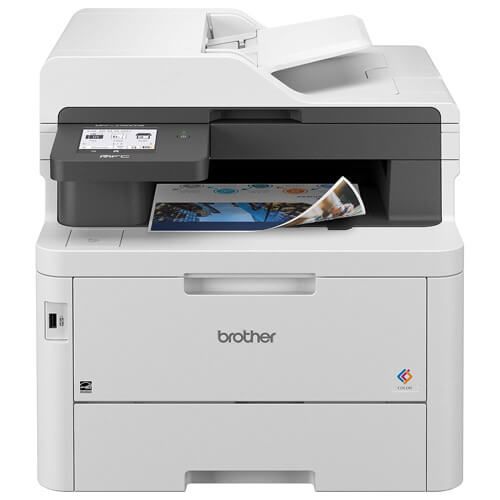
- Laser-Quality Printing: Sharp, professional output.
- All-in-One Function: Copy, scan, fax with single-pass duplex.
- Fast Performance: 31 ppm print speed; 29/22 ipm scan speed (B/W & color).
- Flexible Connectivity: Dual-band Wi-Fi, Ethernet, USB, Wi-Fi Direct; works with Alexa.
- Reliable Toner & Subscription: Supports TN229 series; 2-month Refresh EZ Print trial included.
- Toner Cartridge: Brother TN229XXL Toner Cartridges Combo Pack of 4 - Super High Yield: 1 Black, 1 Cyan, Magenta, 1 Yellow
Best For: Small businesses needing reliable color printing, copy, scan, and fax.
2. Canon Color imageCLASS MF753Cdw II - Wireless Duplex Laser Printer
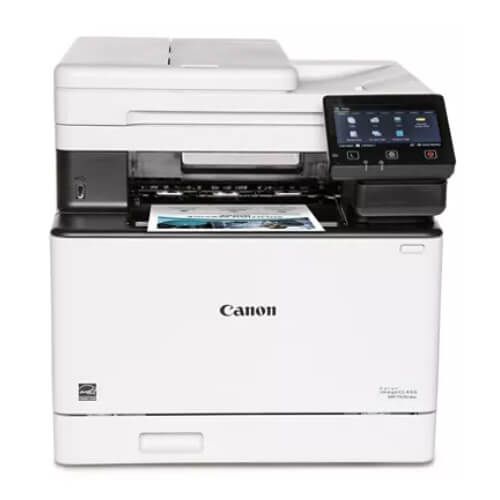
- All-in-One 4-in-1: Print, scan, copy, fax with duplex.
- Fast Print Speeds: Up to 35 ppm in color and monochrome; first print ~7 sec.
- Wireless & Mobile Printing: Wi-Fi setup; supports Canon PRINT app, AirPrint, Mopria.
- 5-inch Color Touchscreen: Customizable Application Library for easy access.
- High-Capacity Toner & Expandable Paper: Canon Genuine Toner 069/069; 250-sheet cassette + 50-sheet multipurpose tray; optional 550-sheet expansion.
- Toner Cartridge: Canon 069H Toner Cartridges Combo Pack of 4 - High Yield: 1 Black, 1 Cyan, 1 Magenta, 1 Yellow
Best For: Offices or small businesses needing fast, reliable color printing with all-in-one functions.
3. Xerox Phaser 6510dn A4 Colour LED / Laser Printer
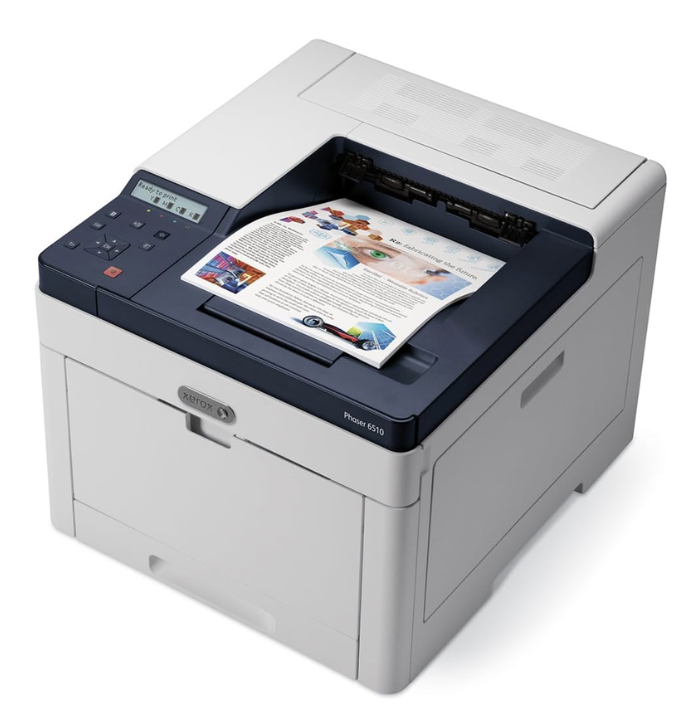
- Compact & Quiet Design: Space-saving, Pantone-approved LED/laser printer.
- Colour Performance: Xerox colour correction technology; prints up to 28 ppm in color and monochrome.
- Printing Features: Automatic duplex, scaling, booklet printing, secure printing.
- High-Quality Prints: Crisp text and graphics with 1200 x 2400 dpi resolution.
- Connectivity Options: High-speed USB 3.0, 10/100/1000Base-T Ethernet.
Best For: Small work teams (up to 7 users) needing compact, reliable color printing.
4. HP Color LaserJet Pro MFP 3301fdw Wireless All-in-One Printer

- Professional Productivity: Prints up to 30 ppm in color and monochrome; delivers vivid colors with next-generation TerraJet toner.
- All-in-One Functionality: Print, scan, copy with automatic duplex printing and 250-sheet input tray.
- Original HP Toner: Supports HP 218A standard and 218X high-yield cartridges for consistent output.
- Award-Winning Reliability: High performance for daily office use with dependable results.
- Auto Duplex & ADF: Automatic two-sided printing and document feeder save time and paper.
- Toner Cartridge: HP 218A Toner Cartridges Combo Pack of 4: 1 Black, 1 Cyan, 1 Magenta, 1 Yellow
Best For: Small teams and offices needing professional-quality color printing, scanning, and copying.
How to Successfully Print on Color Laser Printer Card Stock
Most color laser printer cardstock issues come from a wrong setup. Proper settings and feeding ensure clean output from the best printer for cardstock for printing business cards.
Best Printer Settings for Color Laser Printer Card Stock Printing
Correct settings control heat and feed speed.
Use these settings:
- Select Cardstock or Heavy Paper
- Do not use Plain Paper mode
- Use the manufacturer’s printer driver
Match settings in both places:
- Printer driver
- Application software
Mismatched settings cause poor toner bonding. The best color laser printer for cardstock depends on the correct instructions to handle thick paper.
How to Prevent Paper Jams and Misfeeds?
Cardstock jams when forced through curved paths. This is common with color laser printer for card stock jobs.
Prevent feeding issues:
- Use the manual bypass tray
- Load small stacks only
- Avoid mixing paper types
Straight feeding is critical. This is why every best color laser printer for heavy cardstock includes a bypass or rear feed option. Even the best color laser printer will jam without it.
How to Reduce Curling and Warping?
Curling results from excess heat and moisture.
Reduce curl:
- Use the rear exit tray
- Enable heavy paper mode
- Store cardstock flat in a dry area
Even the best color laser printer for cardstock cannot compensate for damp paper. Proper handling ensures flat, professional results from a color laser printer
Conclusion
Choosing the right color laser printer card stock makes a real difference in print quality and printer lifespan. Heavy cardstock demands proper paper support, a strong paper path, and correct printer settings. Not every printer marketed as a laser model can truly handle thick cover stock. That’s why understanding weight limits, fuser behavior, and feed design is essential. The best color laser printer for cardstock reduces jams, prevents curling, and delivers clean, sharp results. It also saves time and long-term maintenance costs. Whether you print business cards or marketing materials, the right choice ensures consistency. Match the printer to your workload and paper weight. Avoid pushing hardware beyond its limits.
Ready to upgrade? Explore the best color laser printer that fits your needs and start printing with confidence today.
Frequently Asked Questions
1. Can any laser printer handle heavy cardstock?
Only a color laser printer that can print on cardstock with the right feed paths and fuser settings can reliably print heavy cover-weight stock. Standard office lasers typically support regular paper only.
2. Does a higher price guarantee the best color laser printer for cardstock?
Price alone doesn’t ensure cardstock compatibility. Focus on paper weight support, paper path design, and fuser quality when choosing a color laser printer card stock solution.
3. Are inkjet printers better than laser for cardstock?
Some inkjets handle thick stock, but color laser printer card stock offers faster, smudge-free prints and lower long-term costs, especially for text-heavy projects or when you print business cards.
4. Do I need to adjust printer settings for heavy paper?
Yes. Incorrect settings can cause jams, curling, or toner issues. The best color laser printer for heavy cardstock works best when you select “Cardstock” or “Heavy Paper” in both the printer driver and application.
Related Articles
Best Printer for Cardstock in 2025: Expert Recommendations
How To Print Business Cards At Home: Ultimate Guide In 2024
Top Laser Printers for Home: Fast, Reliable & Budget-Friendly
Ultimate Guide to Laser Photo Printing Paper: Print Like a Pro