
Epson Firmware Recovery Tool: How to Download, Install & Use It
| Jun 11, 2026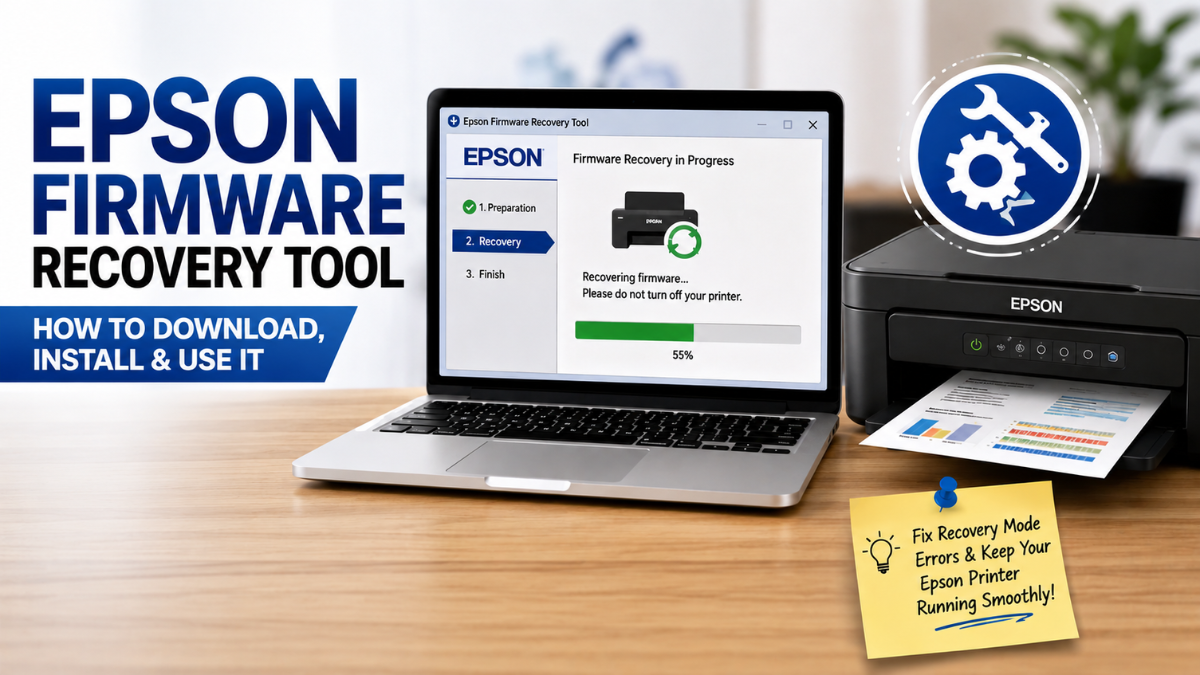
Is your Epson printer suddenly stuck in recovery mode or refusing to print? Don’t worry — in many cases, you can fix Epson printer in recovery mode using the right recovery software and a few simple steps. The Epson firmware recovery tool is designed to help restore printers after firmware-related problems, especially when updates fail or become interrupted.
Whether you’re a home user, a small office owner, or someone managing a DIY printing setup, this beginner-friendly guide will explain how to safely perform an Epson firmware recovery tool download, install it properly, and use it to get your printer back to normal.
What Is An Epson Recovery Tool?
The Epson firmware recovery tool is a utility designed to help repair or restore printer firmware when something goes wrong during an update.
Firmware is the internal software that helps your printer function properly. It controls important printer operations, including communication with your computer and print performance. When firmware becomes damaged or interrupted during an update, the printer may stop working, display errors, or become stuck in recovery mode.
This is where an Epson printer firmware recovery tool becomes useful. It helps reinstall or recover firmware so your printer can work again without needing expensive repairs.
You may need an Epson recovery tool if:
- Your printer is stuck in recovery mode
- A firmware update failed midway
- Your printer suddenly stopped responding
- Your device is showing unusual error messages
- Your printer stopped working after trying to upgrade printer firmware
Signs Your Printer Needs Recovery
Not sure if firmware recovery is necessary? Here are some common warning signs.
Printer Stuck in Recovery Mode
If your Epson printer displays “Recovery Mode” on the screen or refuses to start properly, firmware recovery may be needed.
This often happens when updates are interrupted because of power loss, unstable internet, or unplugging the printer too early.
Epson Printer Is Not Printing
An Epson printer not printing after a firmware update may signal a software problem rather than a hardware issue.
If you have already checked paper, ink, and connections but the printer still will not work, firmware recovery may help solve the problem.
Failed Firmware Update
Sometimes updates freeze or stop halfway through. This can leave your device unable to function normally and may require an Epson recovery mode firmware tool to restore proper operation.
Epson Firmware Recovery Tool Download: Where to Get It Safely
Finding the correct Epson firmware recovery tool is one of the most important steps.
To avoid installing the wrong software, always look for official or trusted sources. Epson provides firmware support for many printer models through its support platform.
Before starting an Epson firmware recovery tool download, make sure you know:
- Your exact Epson printer model
- Your operating system (Windows or Mac)
- Whether firmware recovery is supported for your device
Downloading the wrong file may create additional problems or prevent recovery from working properly.
Step 1: Visit Epson Support
Search for your printer model on Epson’s official support page.
Look for sections labeled:
- Firmware
- Utilities
- Drivers and Downloads
- Recovery software
Many users searching and downloading an Epson printer firmware recovery tool install unrelated software accidentally, so be sure to double-check your printer model.
Step 2: Avoid Unofficial Websites
Some third-party websites offer recovery software, but downloading from random sources may expose your computer to outdated or unsafe files.
Stick to trusted support pages whenever possible.
Step 3: Download the Correct File
Choose the version that matches both your printer model and operating system.
Once downloaded, save the installer somewhere easy to find, such as your desktop or downloads folder.
How to Install the Epson Firmware Recovery Tool
After completing your downloaded Epson recovery mode firmware tool, installation is usually simple.
Follow these easy steps:
1. Close Other Programs
Close unnecessary apps running in the background to avoid interruptions during setup.
2. Connect Your Printer
For best results, connect your Epson printer directly to your computer using a USB cable instead of Wi-Fi.
A stable connection lowers the risk of installation problems.
3. Open the Installer
Double-click the downloaded setup file and follow the instructions shown on-screen.
The installation process usually only takes a few minutes.
4. Accept Permissions
Your computer may ask for administrator permission before continuing.
Select “Allow” or “Yes” if prompted.
5. Complete Installation
Finish setup and restart your computer if required.
At this point, the Epson firmware recovery tool should be ready to use.
How to Use the Epson Recovery Mode Firmware Tool
Once your Epson firmware recovery tool download and installation are complete, you can begin the recovery process.
Step 1: Turn On the Printer
Power on your Epson printer and connect it to your computer.
If your printer is already stuck in recovery mode, leave it on.
Step 2: Open the Recovery Utility
Launch the installed software.
In many cases, the system automatically detects your printer model.
Step 3: Choose the Correct Printer
If multiple printers appear, select the correct Epson device.
Choosing the wrong printer may prevent recovery from working.
Step 4: Begin Firmware Recovery
Follow the prompts to reinstall or restore firmware.
Do not disconnect the printer during the process.
This step is especially helpful if you are trying to fix an Epson printer in recovery mode after a failed update.
Step 5: Wait for Completion
Recovery may take several minutes.
Your printer might restart automatically once finished.
Step 6: Print a Test Page
Try printing a document to confirm everything is working again.
If your Epson printer not printing issue continues, reinstalling drivers or restarting the device may help.
Common Mistakes to Avoid
Firmware recovery is usually straightforward, but avoiding these mistakes can improve your chances of success.
Disconnecting the Printer Midway
Unplugging the printer during recovery may interrupt installation and make the issue worse.
Installing the Wrong Firmware
Always check model compatibility before installing files.
Ignoring Power Stability
Avoid recovering firmware during unstable electricity conditions whenever possible.
Updating Without Need
Sometimes users repeatedly upgrade the printer’s firmware even when the printer is working fine. If everything functions normally, updates may not always be necessary.
Tips to Prevent Future Firmware Problems
Want to avoid recovery mode issues later?
Here are some simple tips:
- Keep your printer plugged in during updates
- Avoid interrupting firmware installation
- Use stable internet during updates
- Only download software from trusted sources
- Carefully read update instructions before proceeding
These small habits can reduce the need for an Epson recovery tool in the future.
Final Thoughts
Printer firmware issues may seem frustrating at first, but many problems can be fixed at home with the right steps. The Epson firmware recovery tool gives users a practical way to restore printers affected by failed updates or recovery mode errors.
By following the proper Epson firmware recovery tool download process, installing the utility correctly, and carefully following recovery instructions, many users can restore their printers without paying for repairs.
If your printer stopped responding after an update or remains stuck in recovery mode, taking a careful, step-by-step approach can often bring it back to life.
Frequently Asked Questions
1. What is the Epson firmware recovery tool?
An Epson recovery mode firmware tool is software used to restore printer firmware when the device becomes stuck or stops working after a failed update.
2. Is Epson firmware recovery tool download free?
In many cases, yes. Epson often provides firmware-related software through official support pages at no additional cost for supported printers.
3. Why is my Epson printer not printing after an update?
An Epson printer not printing after a firmware update may mean the installation failed or became interrupted, requiring recovery.
4. Can I fix an Epson printer in recovery mode by myself?
Yes. Many users can fix Epson printers in recovery mode by downloading the correct recovery software and following step-by-step instructions carefully.
Related Articles
How to Fix Epson Printer in Recovery Mode (Step-by-Step Guide)
Why Is My Epson Printer Not Printing Anything?
Should You Upgrade Printer Firmware? Read Before You Regret!
How to Reset Epson Ink Cartridge Chip Without Resetter: Easy Fixes That Actually Work