
How to Install CMYi Brother LC401 Ink Cartridges
| Dec 13, 2025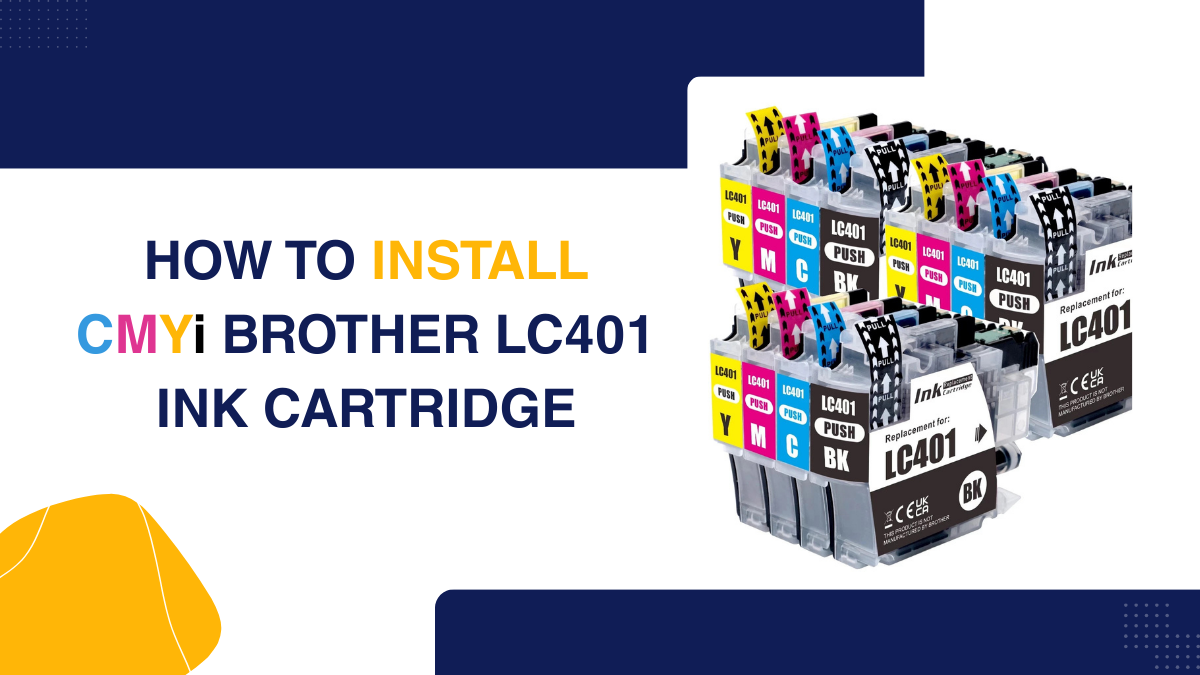
Printing problems can bring any workflow to a halt, especially when your Brother printer cannot detect cartridge. Many users struggle with this issue, unsure whether it’s a faulty cartridge, misalignment, or an installation error. The good news is that Brother LC401 ink cartridges are engineered for reliability and consistent performance, making them a popular choice for home and office printing.
Whether you are using Brother ink LC401 in standard or high-yield versions, proper installation and handling are key to avoiding recognition errors. Choosing Brother LC401 compatible ink cartridges combo pack of 4 can also save time and prevent interruptions during high-volume printing.
In this article, you will learn:
- Which printers are compatible with Brother LC401 LC401XL ink
- How to safely remove old cartridges
- How to properly install your new CMYi Brother printer ink LC401
- Common mistakes to avoid
- Maintenance tips to keep your printer running smoothly
Understanding Brother LC401 Ink Cartridges: Standard vs High-Yield
If your Brother printer cannot detect a cartridge, it is often due to using the wrong type or improper installation. Brother LC401 cartridges are designed for reliable performance and high-quality prints. Understanding their types prevents recognition errors and ensures smooth printing.
Types of Brother Ink Cartridges LC401
- LC401 (Standard Yield) – Prints up to 200 pages, ideal for light to moderate use.
- LC401XL (High Yield) – Prints up to 500 pages, reduces replacements, and prevents installation errors.
Available Colors
- Black
- Cyan
- Magenta
- Yellow
Which Printers Use Brother LC401 Ink Cartridges?
A common reason a Brother printer cannot detect a cartridge is using an incompatible printer model. Knowing which printers work with Brother LC401 cartridges prevents errors and ensures smooth printing. Brother ink LC401 is compatible with several popular Brother inkjet models designed for home and small office use.
Compatible Brother Printers
The Brother LC401 and LC401XL inks work with the following models:
- Brother DCP-J1050DW
- Brother DCP-J1140DW
- Brother DCP-J1800DW
- Brother MFC-J1010DW
- Brother MFC-J1012DW
- Brother MFC-J1170DW
- Brother MFC-J1800DW
Tips to Confirm Compatibility
Before installing new cartridges:
- Check the printer manual for supported cartridges
- Use genuine or Compatible Brother LC401 ink cartridges combo pack of 4 for best results
- Verify that the cartridge type matches your printer slot
- Inspect cartridge packaging for model-specific labels to prevent misplacement
How to Safely Remove Old LC401 Ink Cartridges
Many printing issues occur because the old cartridge is removed incorrectly. If your Brother printer cannot detect cartridges, improper removal is often the cause. Knowing how to handle Brother ink cartridges safely ensures your Brother ink LC401 works smoothly and avoids damage to the printer.
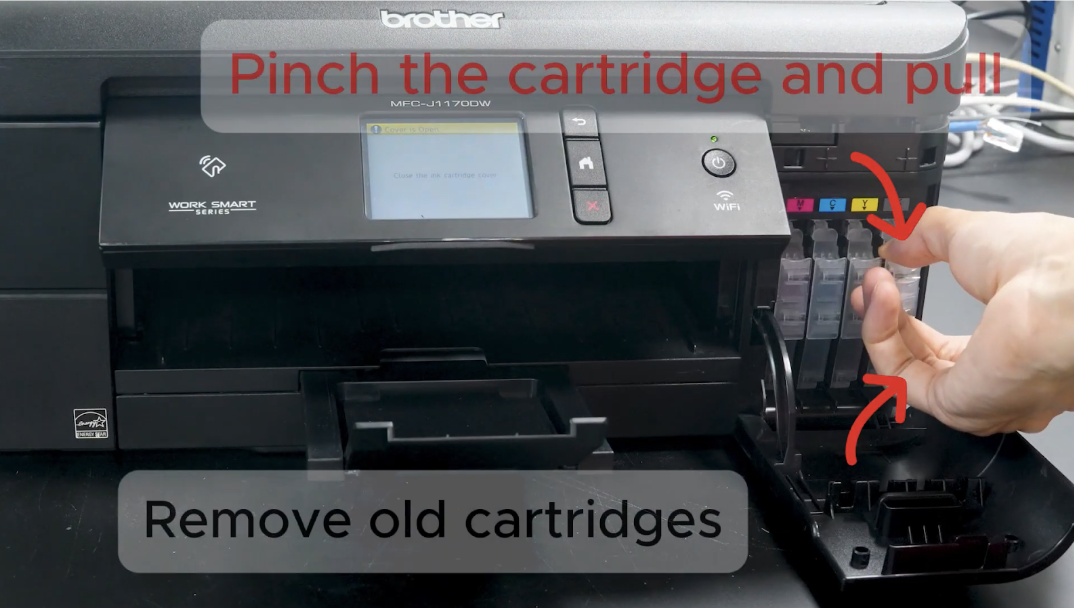
Step-by-Step Removal Guide for CMYi Brother LC401 Ink Cartridge Version
- Open the ink cartridge cover of your printer.
- For the CMYi version, there is no lever so pinch the cartridge instead to unlock it from the cartridge slot.
- Gently pull out the cartridge without touching the nozzles or spilling ink.
- Set the old cartridge aside for recycling or safe disposal.
- Repeat for each color if replacing a full set of Brother LC401 LC401XL ink.
Common Mistakes to Avoid
- Forcing the cartridge into or out of the slot
- Touching the ink nozzles or contacts
- Mixing up colors, leading to installation errors
- Using incompatible cartridges instead of genuine or high quality compatible Brother LC401 cartridges
How to Properly Install Your New CMYi LC401 Ink Cartridges
If your Brother printer cannot detect a cartridge, it is often due to incorrect installation. Installing Brother LC401 ink cartridges properly ensures smooth printing, prevents errors, and protects your printer. Correct installation of Brother ink LC401 improves print quality and avoids recurring recognition issues.
Step 1: Unboxing the Cartridges
- Carefully remove the cartridges from the packaging.
- Check that the cartridges are not damaged.
- Ensure you have all four colors.
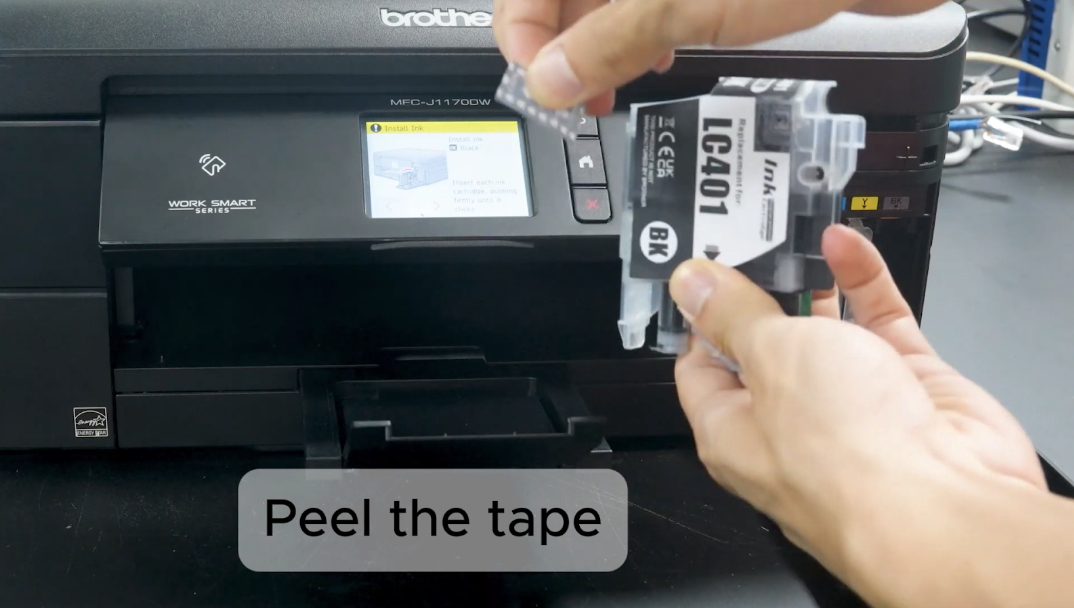
Step 2: Remove Protective Tape
- Each cartridge comes with protective tape covering the ink nozzles.
- Peel off the tape gently without touching the nozzles.
- This step prevents ink flow blockage and ensures proper contact with the printer.
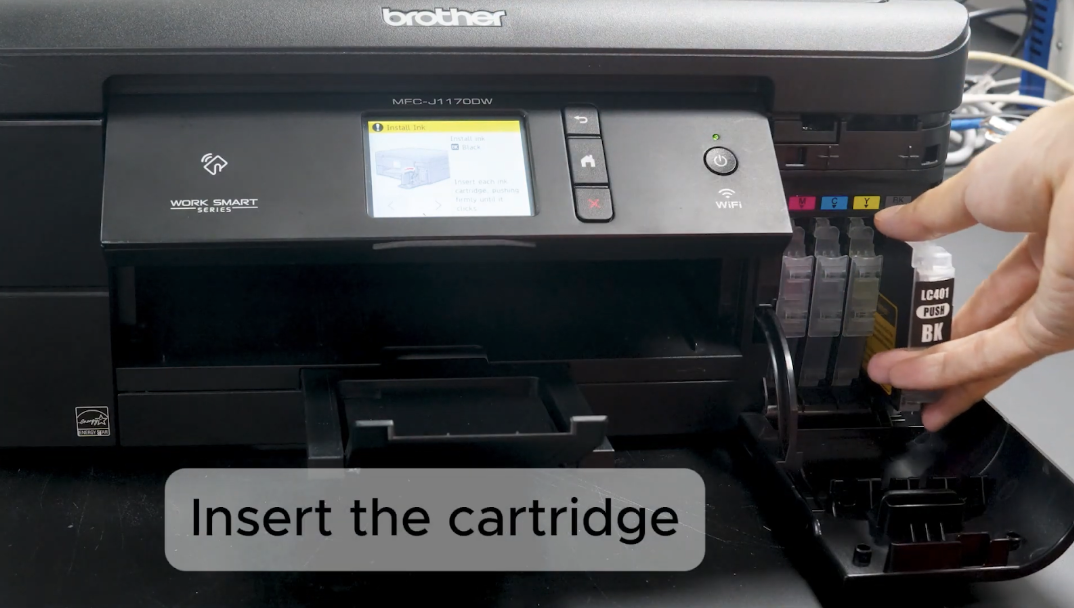
Step 3: Insert Cartridges Into Correct Slots
- Open the printer’s ink cartridge cover.
- Match each color with its corresponding slot: Cyan, Magenta, Yellow, and Black.
- Insert the cartridge straight into the slot.
- Push gently until it clicks into place.
Step 4: Lock the Cartridge
- After inserting, make sure the cartridge is fully seated and the lever locks it in place.
- Improper locking can trigger the Brother printer unable to detect cartridge errors.
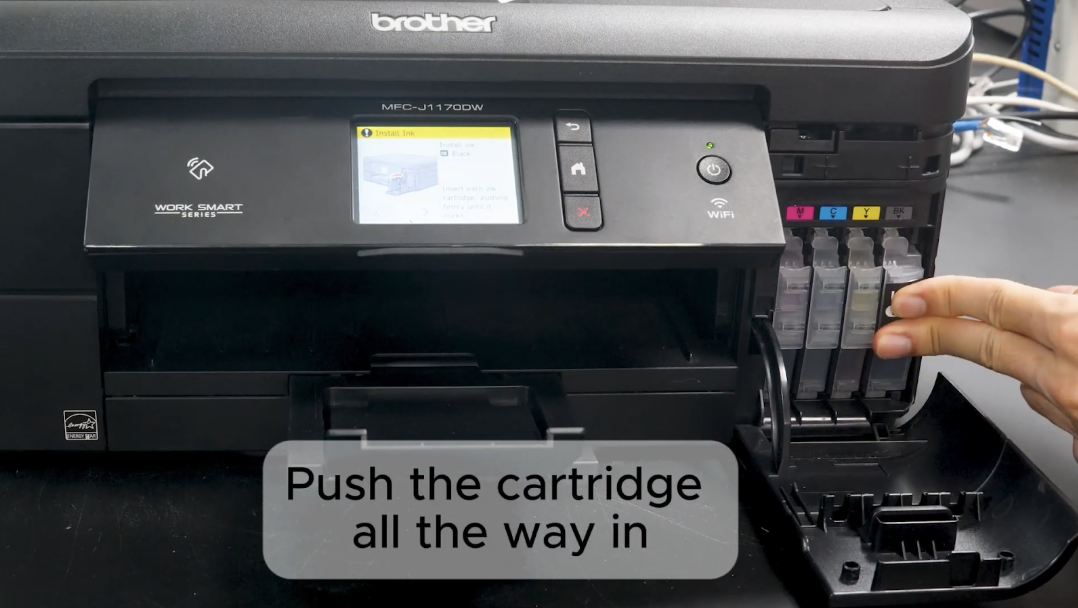
Step 5: Close the Ink Cartridge Cover
- Close the printer cover carefully.
- Ensure it clicks shut to avoid misalignment or recognition issues.
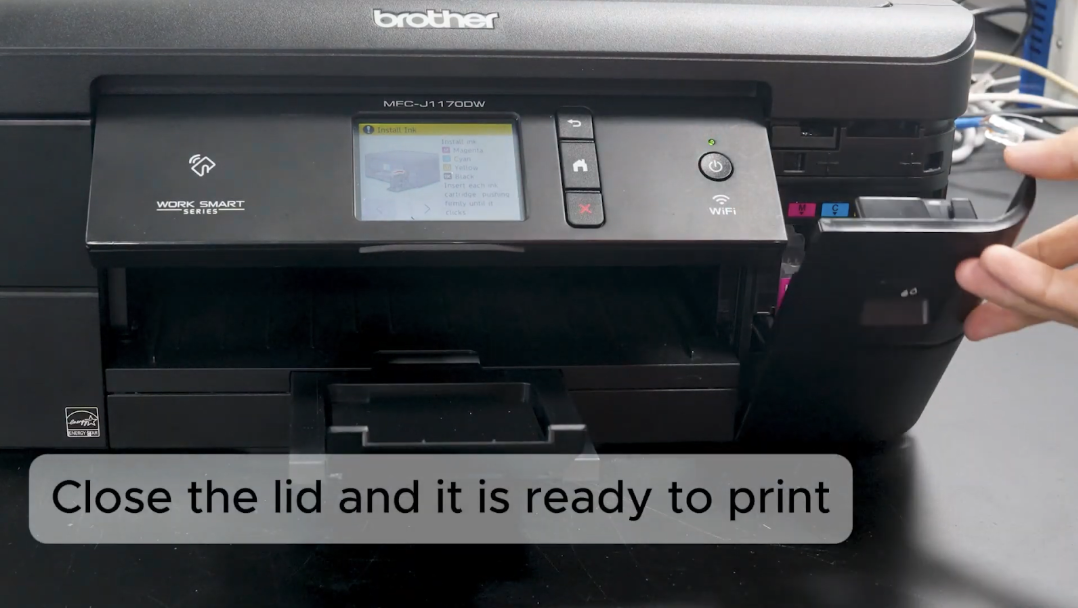
Step 6: Check for Recognition
- Power on the printer.
- Confirm that the printer recognizes all newly installed cartridges.
- If using Brother LC401 or LC401XL ink, make sure each cartridge is in its correct slot and detected properly.
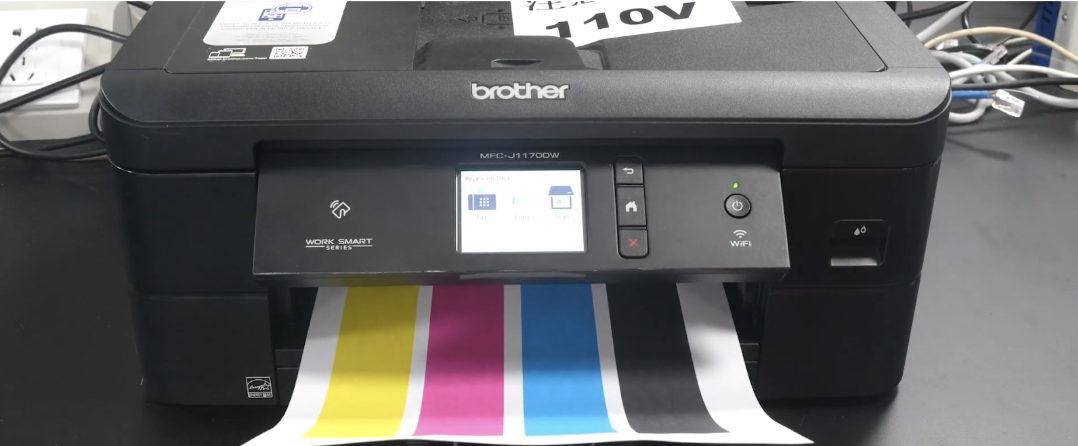
Step 7: Tips for Smooth Installation
- Avoid touching the nozzles or metal contacts.
- Do not force the cartridge into the slot.
- Always use genuine or Brother LC401 compatible ink cartridges to prevent recognition errors.
- Refer to this video for visual guidance: CMYi LC401 Installation
OEM Brother LC401 vs Compatible CMYi Brother Ink LC401 Cartridges
Choosing the right cartridge type is crucial to prevent errors like Brother printer not detecting the cartridge. Both Brother LC401 ink cartridges and compatible CMYi options are widely used, but they differ in quality, cost, and performance. Understanding these differences helps you make the best choice for your printer.
| Feature | OEM Brother LC401 | Compatible CMYi LC401 |
|---|---|---|
| Manufacturer | Brother | Third-party |
| Print Quality | High, vivid | High, vivid |
| Cost | Higher | Lower |
| Recognition | Rarely fails | Occasionally triggers Brother LC401 cartridge not recognized |
| Reliability | High | High |
Troubleshooting Brother LC401 Recognition Issues
Sometimes, your Brother printer cannot detect a cartridge even after proper installation. This issue sometimes happens with Brother LC401 cartridges and can interrupt printing. Understanding why this happens helps fix the problem quickly. Brother ink LC401 may fail recognition due to improper installation, protective tape left on, or using an incompatible cartridge.
Why Printers May Not Recognize Cartridges
- Incompatible cartridge: Using a cartridge not designed for your printer model can trigger recognition errors.
- Improper installation: Cartridges not fully seated or misaligned may cause the printer to fail to detect ink.
- Protective tape left on: Leaving the tape on the ink nozzles blocks contact with the printer.
- Mixed cartridge types: Combining LC401 and LC401XL in the wrong slots may confuse the printer.
Quick Fixes for Recognition Issues
- Reset the printer: Turn it off, wait 30 seconds, then power on.
- Clean the contacts: Use a lint-free cloth to gently wipe the cartridge and slot contacts.
- Reinstall cartridges: Remove and reinstall the Compatible Brother LC401 ink cartridges.
- Check cartridge type: Ensure you are using the correct LC401 or LC401XL for your printer.
Maintenance Tips to Keep Your Printer Running Smoothly
If your Brother printer cannot detect the cartridges, poor maintenance is often the culprit. Proper care of Brother LC401 cartridges ensures consistent performance, reduces errors, and extends cartridge life. Regular maintenance of Brother ink LC401 helps avoid print issues and keeps your printer working efficiently.
Proper Storage and Handling of Cartridges
- Store cartridges in a cool, dry place, away from direct sunlight.
- Maintain temperature and humidity levels recommended for Brother LC401 LC401XL ink.
- Check the shelf life and use cartridges before expiry.
- Use genuine or compatible Brother LC401 ink cartridges to prevent recognition problems.
Regular Cleaning
- Clean cartridge contacts and printer nozzles regularly to avoid clogs.
- Wipe with a lint-free cloth to prevent debris buildup.
- Regular cleaning ensures your Brother printer ink LC401 remains recognized and functional.
Avoid Printer Jams and Low-Quality Prints
- Always handle cartridges carefully when installing or removing.
- Avoid mixing LC401 and LC401XL types inappropriately.
- Follow proper paper loading and maintenance routines to prevent jams and faded prints.
- Consistent care helps maintain the performance of Brother LC401 compatible ink cartridges and ensures sharp, vivid output.
Conclusion
Proper handling of Brother LC401 ink cartridges is essential to avoid printing issues and ensure long-lasting performance. From safe removal of old cartridges to correct installation of CMYi cartridges, every step matters. Regular maintenance, such as cleaning contacts and storing cartridges correctly, helps prevent Brother printer not detecting ink cartridges. Choosing the right type: OEM or compatible Brother LC401 cartridges also reduces recognition problems. Understanding the difference between standard LC401 and high-yield LC401XL ensures you get the best value and performance. Following these steps keeps Brother ink LC401 functioning smoothly and delivers sharp, vibrant prints. For hassle-free printing, consider using genuine or premium quality compatible Brother cartridges or subscription services. Maintaining proper care extends the life of Brother LC401 and LC401XL ink and avoids costly replacements. With attention to detail, you can enjoy uninterrupted printing at home or in the office.
Ready to keep your Brother printer running flawlessly? Get your genuine or compatible LC401 cartridges today and print with confidence!
Frequently Asked Questions:
1. Do I have to use only OEM Brother LC401 cartridges?
While genuine cartridges are recommended for optimal performance, high-quality compatible Brother LC401 cartridges also work effectively when installed correctly and offer savings without compromising print quality.
2. Can I use LC401XL high-yield cartridges without damaging my printer?
Yes. Brother LC401XL ink is designed for the same printers as standard LC401 cartridges. When installed properly, LC401XL cartridges are safe and reduce the frequency of replacements.
3. Does touching the ink nozzles affect printing?
Handling the nozzles can clog them or prevent the printer from recognizing the cartridge, causing Brother printer cannot detect cartridge errors. Always handle cartridges carefully by the edges.
4. If my printer shows an error, does that mean the cartridge is defective?
Not necessarily. Recognition errors often occur due to improper installation, leftover protective tape, or misaligned cartridges. Following correct installation steps usually resolves the issue.
5. Are compatible CMYi cartridges reliable?
High-quality compatible Brother LC401 ink cartridges can provide prints that are sharp and vibrant, similar to OEM cartridges, when handled and installed properly.
Related Articles
Brother Printer Cannot Detect Cartridge? Real Fixes, Not Fluff
Brother Printer Issue: Is Ink Lockdown Making Them the Next HP?
Brother Ink Tank Printers: The Ultimate Guide for 2025
Stop Brother Printer Printing Blank Pages: Easy Solutions Inside