
Printer Ink Refill Guide: Best Cartridges You Can Refill at Home
| Dec 20, 2025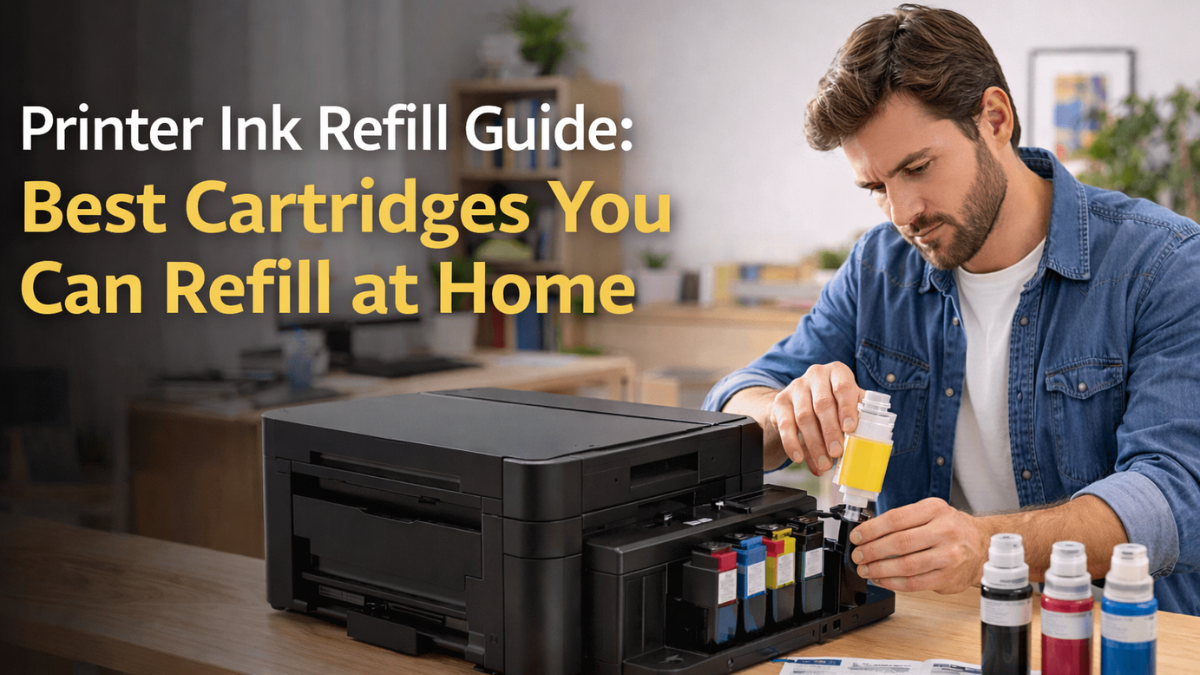
Running out of printer ink at home can be frustrating, especially when replacement cartridges are expensive. Luckily, printer ink refill offers a cost-effective and eco-friendly solution. With ink savings as a major benefit, home users can extend the life of each cartridge without compromising print quality. Refillable ink cartridges are designed for multiple uses, making cartridge refill easier, cleaner, and more efficient.
Not all cartridges are suitable for DIY refills, so choosing the right refillable printer ink cartridges is crucial for smooth printing. Using a universal ink refill kit or proper tools ensures your inkjet ink refill works without leaks or clogs. Learning how to refill an ink cartridge at home helps save money, reduce waste, and maintain consistent print quality.
In this article, we will cover:
- What printer ink refill means and how it works
- Pros and cons of refilling cartridges at home
- The easiest cartridges to refill for home use
- Step-by-step guide on how to refill ink cartridge safely
What Does Printer Ink Refill Mean?
It involves adding fresh ink into an existing cartridge instead of replacing it. This applies to both inkjet ink refill, ink tanks and some laser cartridges. Refilled cartridges are often called refillable printer ink cartridges, and they can be refilled at home using a universal printer ink refill kit or through professional refill services.
Difference Between Refilling and Replacing Cartridges
| Feature | Refilling Cartridges | Replacing Cartridges |
|---|---|---|
| Cost | Lower cost, provides ink savings | Higher cost per cartridge |
| Environmental Impact | Reduces plastic waste, eco-friendly | Generates more waste |
| Print Quality | May vary if not refilled correctly | Consistent, guaranteed quality |
| Ease of Use | Requires careful handling | Simple and quick |
| Cartridge Type | Uses refillable ink cartridges designed for multiple uses | Standard cartridges intended for single use |
| DIY Option | Can be done at home | Usually not needed; just replace cartridge |
Pros and Cons of Refillable Ink Cartridges Yourself
Refilling cartridges at home offers ink savings and lets you reuse refillable ink cartridges multiple times. It is cost-effective and eco-friendly, but DIY refills have both benefits and risks.
1. Advantages of DIY Refilling
- Cost Savings: Refilling refillable cartridges can save up to 50% compared to new cartridges.
- Environmental Benefits: Using refillable printer ink cartridges reduces plastic waste and landfill impact.
- Convenience: Home refills with a universal ink refill kit are faster than buying new cartridges and avoid downtime.
2. Risks and Challenges of Home Refilling
- Potential Printer Damage: Incorrect refills can cause leaks or clog print heads. DIY refilling requires care to avoid damaging your printer.
- Ink Quality Issues: Using the wrong ink or improper refilling may produce inconsistent results. Even with inkjet ink refill, color and print quality can vary if not done correctly.
- Messy Process and Time Commitment: Refilling at home can be messy and may take extra time. Handling ink requires precision to prevent spills or stains.
- Impact on Printer Warranty: Some printer warranties may be voided if issues arise from home refills. Users should understand their printer’s terms before attempting DIY refills.
Top 5 Best Printer Cartridges You Can Easily Refill at Home
These cartridges stand out for their refill-friendly construction, wide compatibility with refill kits, and their ability to deliver consistent, reliable performance even after several refill cycles.
1. HP 61 & HP 61XL
- Included Colors: 2× 61XL Black + 1× 61XL Tri-Color
- Page Yield: Approx. 700 pages per black cartridge, 400 pages per tri-color
- Compatibility: Works with a wide range of HP DeskJet, Envy, and OfficeJet printers (1000–4639 models).
- Special Features: High compatibility, high yield, hybrid ink base, extra-capacity cartridges.
Best For
- Home and office users need affordable high-yield replacements for HP 61XL cartridges.
Pros
- High page yield for both black and tri-color.
- Works with many HP models, offering strong compatibility.
- Comes as a 3-pack for better value.
- Can be easily refilled using universal ink refill kit.
Cons
- Shipping costs may be high depending on the region.
2. Canon PG-245 & CL-246
- Included Cartridges: 1× PG-245 Black + 1× CL-246 Color
- Page Yield: Approx. 480 pages
- Compatible Devices: Canon PIXMA series: iP2820, MG2420, MG2525, MG2920, MG2924, MG3020, MX492, TR4520, TS202, TS302, TS3120, TS3320
- Special Features: Genuine Canon ink, wireless compatibility, water-based ink, and access to Creative Park Premium content.
Best For
- Home users who want reliable, genuine Canon ink for everyday printing.
- Students and families need consistent text and colour output.
Pros
- Reduces the risk of printer errors or compatibility issues.
- High customer rating (4.7/5 from 13,000+ reviews).
- Designed specifically for Canon PIXMA printers for the best results.
- Can be easily refilled using universal ink refill kit.
Cons
- Lower page yield compared to XL or third-party options.
- Higher cost due to genuine OEM pricing.
- Not ideal for heavy or high-volume printing.
3. Epson 252 & 252XL
- Ink Type: Black, pigment-based, water-resistant
- Page Yield: Approx. 1100 pages
- Compatible Printer Models: Epson WorkForce WF-3620, WF-3640, WF-7110, WF-7210, WF-7610, WF-7620, WF-7710, WF-7720
- Special Features: Smudge-proof, fade-resistant, water-resistant; genuine Epson cartridge; individual ink system.
Best For
- Small offices and home offices need high-volume printing.
- Users want durable prints for documents, forms, and business materials.
Pros
- High-capacity design reduces frequent replacements.
- Pigment ink delivers lab-quality, sharp, professional text.
- Resistant to fading, smudging, and water exposure.
- Can be easily refilled using universal ink refill kit.
Cons
- More expensive than standard capacity or third-party alternatives.
- Only available for select Epson WorkForce printers.
4. Brother LC2033PKS
- Ink Type: Cyan, Magenta, Yellow (water-based)
- Page Yield: Up to 550 pages per cartridge
- Compatible Printer Models: Brother MFC-J480DW, J485DW, J680DW, J880DW, J885DW, J4320DW, J4420DW, J460DW, J4620DW, J5520DW, J5620DW, J5720DW
- Special Features: Fade-resistant output, genuine Brother quality, and Amazon Dash Replenishment compatible.
Best For
- Home and office users need consistent, vibrant colour prints.
- Brother inkjet printer owners who prefer high-yield cartridges.
Pros
- Produces sharp, vibrant colour prints for professional-quality output.
- Seamless integration with Brother printers ensures smooth performance.
- Genuine cartridges reduce print defects and leaking issues.
Cons
- More expensive than non-genuine compatible cartridges.
- Colour cartridges sold as a 3-pack; must replace colours even if only one runs out.
- Works only with supported Brother inkjet models.
5. HP 902 / 902XL
- Ink Type: Black, Cyan, Magenta, Yellow (High-Yield XL)
- Page Yield: Up to 825 pages per cartridge (Black & all colours)
- Compatible Printer Models: HP OfficeJet 6950, 6951, 6954, 6956, 6958, 6961, 6962, 6963, 6964, 6966
- Special Features: High-yield XL capacity, 24/7 customer support, fully compatible replacement cartridges.
Best For
- Users who print frequently and want long-lasting XL cartridges.
- Home offices need reliable colour and black printing at a lower cost.
Pros
- High-yield XL design produces up to 825 pages per cartridge.
- Full colour set included: Black, Cyan, Magenta, Yellow.
- Works with a wide range of HP OfficeJet and OfficeJet Pro printers.
Cons
- As a compatible (non-genuine) product, firmware updates may affect recognition.
- Print quality may vary depending on the printer’s condition and settings.
- Some printers may require chip resets depending on the update history.
Step-by-Step Guide: How to Refill Printer Ink Cartridges at Home
A proper printer ink refill at home can save money, reduce waste, and extend the life of cartridges. Using a universal ink refill kit or the correct tools ensures a clean refill. This step-by-step guide explains how to refill an ink cartridge safely, maintain print quality, and avoid common mistakes.
1. Prepare Your Cartridge
- Clean the Cartridge and Contacts: Remove dust and dried ink from cartridge contacts to prevent clogs. Use a lint-free cloth or alcohol wipes.
- Remove Residual Ink: Empty any remaining ink to avoid mixing old and new ink, which can affect color.
- Safety Tips to Avoid Spills: Wear gloves, work on a protected surface, and handle ink bottles carefully to prevent stains.
2. Refill the Cartridge
- Correct Ink Volume: Follow cartridge guidelines to avoid overfilling or underfilling. Overfill can leak; underfill may cause streaks.
- Use the Right Ink Type: Ensure you use ink compatible with your printer model. Inkjet ink refill is different from laser toner.
- Tools and Kits Required: Use a universal ink refill kit with syringes, needles, and instructions for precise refilling.
3. Post-Refill Steps
- Reinstall the Cartridge: Place the cartridge securely in the printer, making sure it clicks into position.
- Test Print Quality: Run a test page to check for color consistency and streaks.
- Troubleshoot Common Issues: If prints show streaks or uneven colors, clean the print head or repeat the refill carefully.
4. Professional Help vs DIY
- When to Consider a Refill Shop: If a cartridge is fragile, expensive, or if refill attempts fail, a professional service ensures safe cartridge refill.
- Pros and Cons Compared to DIY: Professional refills reduce mess and risk of printer damage but cost more. DIY refills offer ink savings and flexibility but require careful handling.
Tips for Maximizing Cartridge Lifespan After Refill
A well-maintained printer ink refill can save money, extend cartridge life, and maintain print quality. Using refillable ink cartridges correctly ensures multiple refills without damage. Following simple care practices helps protect refillable printer ink cartridges and improves inkjet ink refill results.
1. Safe Number of Refills Per Cartridge
Most refillable ink cartridges handle 3–5 refills. Beyond this, print quality may drop or leaks may occur. Track each cartridge refill to maintain consistent results.
2. Proper Storage and Handling
Store cartridges upright in a cool, dry space. Avoid heat and sunlight. Handle gently during a printer ink refill to prevent damage or spills.
3. Regular Printer Maintenance
Clean print heads often and run a quick test print after every refill. This prevents clogs and keeps prints sharp when using refillable printer ink cartridges.
Conclusion
Home ink refill is a smart way to save money, reduce plastic waste, and extend the life of your refillable ink cartridges. By understanding the benefits and risks, users can make informed decisions about DIY cartridge refill. Using a universal ink refill kit and learning how to refill an ink cartridge correctly ensures high-quality prints and prevents damage. Choosing the right refillable printer ink cartridges simplifies the process and supports multiple refills. Proper maintenance, careful handling, and using compatible ink types improve print reliability and color consistency. Regular cleaning and test prints maximize the lifespan of your cartridges. For home users, refilling offers convenience, flexibility, and significant ink savings. Balancing cost, quality, and eco-friendliness makes printer ink refill an ideal choice.
Ready to save on printing? Start your first refill today and experience the benefits!
Frequently Asked Questions:
1. Will refilling my cartridge damage my printer?
Using proper techniques and a universal ink refill kit with refillable ink cartridges ensures safe printing. Following instructions helps prevent leaks, clogs, and printer damage.
2. Do refilled cartridges produce poor print quality?
When refilled using high-quality ink and following proper inkjet ink refill steps, refilled cartridges can deliver print quality nearly identical to new cartridges. Consistent colors, sharp text, and minimal streaking are achievable, especially when using compatible ink cartridges.
3. Does refilling really save money?
Home refills with refillable ink cartridges offer significant savings on ink, especially for frequent printing, making them cost-effective compared to buying new cartridges each time.
Related Articles
How a Universal Printer Ink Refill Kit Can Save You Money?
How to Refill Ink Cartridge: Easy Steps | CompAndSave 2024
How to Refill HP Ink Cartridges: Save on Printer Ink & Go Green