
What Is a Laser Printer Toner?
| Jan 29, 2026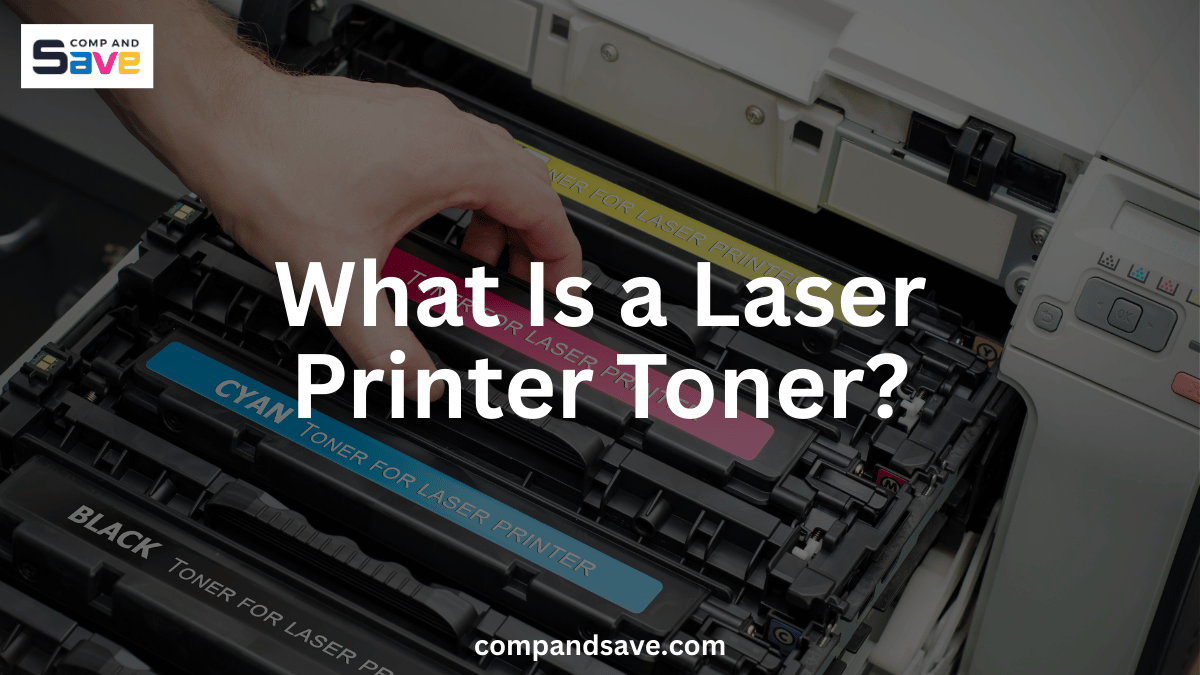
If you use a laser printer, understanding laser printer toner can save you money, prevent printing problems, and help you choose the right supplies with confidence. Many people confuse printer toner with ink, leading to purchases of the wrong product, cartridge errors, or unnecessary costs.
In this guide, you’ll learn what laser toner is, how it works, how to choose the correct toner cartridge for your printer, and how to avoid the most common toner-related issues. Whether you use HP, Brother, Canon, or Epson, this article is designed to help you make smarter printing decisions.
What Is a Laser Printer Toner?
Laser printer toner is a fine powder used by laser printers to create text and images on paper. Unlike liquid ink, printer toner is made from tiny plastic particles combined with pigment and bonding agents. These particles are engineered to melt and fuse to paper when heated.
When you print, your laser printer uses static electricity to attract toner powder to specific areas of the page. Heat then seals the toner permanently, which is why laser toner produces sharp, smudge-resistant prints that don’t bleed or fade easily.
If you print frequently or rely on clean, professional documents, laser printer toner is often more reliable than ink.
How Does a Toner Cartridge Work Inside Your Printer?
A toner cartridge works as part of a system that includes the drum unit and fuser. Each component plays a role in accurately transferring toner to paper.
The laser printing process
When you send a print job, the printer:
- Receives your document
- Uses a laser to create an image on the drum
- Applies toner from the toner cartridge
- Transfers toner to the paper
- Uses heat to fuse the toner permanently
This process allows printer toner to deliver fast printing speeds and consistent output, especially for text-heavy pages.
You can also check out this page to learn more: How Does a Laser Printer Work
What Is the Difference Between Laser Printer Toner and Ink?
Knowing the difference between laser printer toner and ink is key to choosing the right printer and supplies that fit your printing habits and budget. When you understand how each works, you can avoid wasting money and frustration on the wrong product.
What You Should Know About Laser Printer Toner
Laser printer toner is a powder, not a liquid, made from tiny plastic particles mixed with pigment. Because of this, toner:
- Prints much faster than ink cartridges, so if you often have a lot to print, your laser printer won’t slow you down.
- Produces crisp, sharp text and clean lines, perfect for professional documents like contracts, reports, or letters that you want to look polished.
- Typically costs less per page over time because toner cartridges last longer and print many more pages before needing replacement. This means less hassle and fewer trips to order supplies.
If you’re someone who prints often or values quick, reliable results, laser toner can save you time and money in the long run.
What You Should Know About Ink Cartridges
Ink cartridges use liquid ink, which behaves differently:
- Ink is usually better for printing photos or detailed color images, so if you do a lot of photo printing or creative work, inkjet printers might serve you better.
- Ink can smudge if you touch the page before it dries, and cartridges can dry out if you don’t print regularly, which means you might waste ink or have to replace cartridges more often.
- Over time, ink cartridges tend to cost more per page, especially if you print frequently, since they don’t last as long as toner cartridges.
If your printing needs are light, focused on photos, or you print occasionally, ink cartridges may be a better fit, but be prepared for higher costs and slower print speeds.
How Do You Choose the Right Printer Toner for Your Brand?
Buying the wrong toner cartridge is a common and costly mistake. To avoid this, ensure the toner cartridge matches your exact printer model and brand. Each manufacturer, whether HP, Brother, Canon, or Epson, designs cartridges specifically for their printers, so using the wrong one can cause errors or poor print quality.
HP toner cartridges
HP toner cartridges are designed for specific HP laser printers and often work alongside firmware-based checks. Using the correct cartridge number helps avoid recognition errors and printing interruptions.
Brother toner cartridge options
A Brother toner cartridge is known for high page yield and consistent output. Many users choose Brother printer toner because it lasts longer and requires fewer replacements, especially in busy offices.
Canon toner compatibility
Canon toner cartridges are engineered for precise printing and reliable performance. Matching the correct toner cartridge to your Canon printer model is essential for avoiding error messages.
Epson laser printer toner
Epson also produces laser printers that rely on Epson toner cartridges. Epson laser printer toner is designed for business and office environments where consistency and durability matter. As with other brands, using the correct laser printer toner for your Epson model prevents recognition and print-quality issues.
Why Is Laser Printer Toner More Cost-Effective Over Time?
Although printer toner often costs more upfront, it usually delivers better long-term value. A single toner cartridge can print thousands of pages, depending on coverage and usage.
Cost advantages of laser toner
- Higher page yield
- Fewer cartridge replacements
- Reduced downtime
- Predictable performance
If you print frequently for work, school, or business, laser printer toner typically lowers your cost per page compared to ink.
What Common Problems Can Happen With Laser Toner?
Even when you use the right laser toner, issues can still happen. Understanding what these problems mean and how to fix them helps you avoid unnecessary replacements and return to printing smoothly.
1. Toner Recognition Issues
If your printer doesn’t recognize the toner cartridge, it’s often due to compatibility problems, firmware updates, or incorrect installation. To fix this:
- Make sure you’re using the exact toner model for your printer.
- Remove the cartridge and reinstall it carefully, ensuring it clicks into place.
- Check for firmware updates that may affect cartridge recognition, and follow the manufacturer’s instructions to update or roll back if needed.
2. Faded or Light Printing
When your prints look faded or too light, it usually means toner levels are low, or the toner isn’t evenly spread inside the cartridge. To improve this:
- Gently remove the cartridge and give it a slow, gentle shake side to side to redistribute the toner powder.
- Check toner levels and replace the cartridge if it’s nearly empty.
- Run your printer’s cleaning cycle if available.
3. Lines, Spots, or Background Shading
If you notice lines, spots, or uneven shading on prints, it often points to a worn drum unit or a damaged toner cartridge, not the toner itself. To fix this:
- Inspect and clean the drum unit if your printer uses a separate drum.
- Replace the drum unit if it’s nearing the end of its life.
- Try replacing the toner cartridge to see if the issue resolves.
Understanding how laser printer toner and its components work helps you troubleshoot effectively, saving you money and downtime by avoiding unnecessary replacements.
How Can You Make Your Laser Printer Toner Last Longer?
You can get more value from your printer toner by adopting a few simple habits that reduce toner use and keep your cartridges working efficiently. Here are some easy ways to make your toner last longer:
- Use draft or economy mode for internal documents
- Avoid unnecessary color printing
- Store toner cartridges in a cool, dry place
- Gently shake the toner cartridge when prints start fading
These steps help you get more value from every laser toner cartridge you buy.
What Should You Know Before Buying a Toner Cartridge?
Before purchasing printer toner, it helps to understand a few key factors to make sure you get the best value and avoid printing problems:
- Know your exact printer model: Toner cartridges are designed for specific printers, so using the correct model number ensures compatibility and prevents recognition errors.
- Check page yield: Page yield tells you approximately how many pages a cartridge can print. Higher-yield cartridges cost more upfront but usually save you money if you print a lot.
- Decide between OEM and compatible: Original Equipment Manufacturer (OEM) cartridges guarantee compatibility and quality but tend to cost more. Compatible cartridges may be cheaper, but ensure they come from reputable sellers to avoid quality issues.
- Consider standard vs. high-yield cartridges: High-yield cartridges last longer and reduce how often you need to replace them, making them more convenient and cost-effective over time.
- Read reviews and warranty info: Check customer feedback and warranties to avoid low-quality cartridges that can damage your printer or produce poor print quality.
Understanding these factors helps you choose the right toner cartridge for your needs and budget, saving you money and hassle.
Final Thoughts
If you want fast printing, sharp text, and lower long-term costs, laser printer toner is a smart choice. Understanding printer toner helps you pick the right cartridge, avoid common problems, and print confidently.
Whether you need HP, Brother, Canon, or Epson toner, choosing the right laser toner makes a big difference in quality and cost. For reliable options and great deals, check out CompAndSave. When you know how printer toner works, you stop guessing and start printing smarter.
Frequently Asked Questions
What is laser printer toner made of?
Laser printer toner is made of fine plastic particles, pigment, and additives that fuse onto paper using heat. This combination creates sharp, smudge-resistant prints that hold up well over time, making it ideal for professional documents and high-volume printing.
Is laser toner better than ink?
For frequent printing and text-heavy documents, laser toner is usually more efficient and cost-effective. It delivers faster print speeds, longer-lasting cartridges, and crisp, consistent results, helping you save money and avoid common inkjet issues like smudging or drying out.
How long does a toner cartridge last?
A toner cartridge can last thousands of pages, depending on your printing habits and page coverage. This means fewer cartridge changes, less downtime, and better value for your money, especially if you print regularly for work, school, or business.
Can you use any printer toner in a laser printer?
No. You must use printer toner designed specifically for your printer model to ensure compatibility and avoid errors. Using the wrong toner can cause print quality problems, cartridge recognition errors, or even damage your printer.
Do Epson laser printers use toner cartridges?
Yes. Epson laser printers require toner cartridges designed specifically for Epson laser models. Using the correct Epson toner ensures your printer runs smoothly and produces high-quality prints without interruption.
Related Articles:
How Does a Laser Printer Work?