
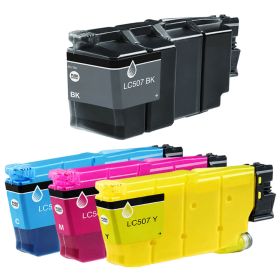
 Click to enlarge the image
Get bigger savings on our Brother LC507 ink cartridges here at CompAndSave, where you can find the cheapest printer inks online!
- Proven and tested to work like the original. Our compatible Brother LC-507 ink cartridges are designed to work just like the OEM, from the installation process down to its print quality.
- Budget-friendly. CompAndSave purchases directly from manufacturers at high volumes, locking in steep discounts. With this, we pass all that savings on to our customers, making us the cheapest place to buy printer ink online. You can get even more significant discounts if you order our Brother LC-507 ink cartridges in bulk!
- More options. We have single and combo pack cartridges available depending on your printing needs. Make sure to explore different quantities to find the price break that suits you best.
- Free shipping. For U.S. orders, buy products up to $50 or more, and the shipping fee is on us! Brother LC507 ink cartridges orders placed before 2:00 p.m. PST Monday through Friday will be processed the same day. Check our Shipping Policy for more information.)
- Will not void printer warranty. Please be informed that using a compatible Brother LC-507 ink cartridges will never void your printer warranty. To know more, visit our Ink Knowledge Base page or contact us for any further questions.
So hurry and save more if you shop for CompAndSave's compatible in single or combo packs. Purchase Brother LC507 ink cartridges now and enjoy quality discount ink cartridges only here at CompAndSave. Start saving today!

Compatible Brother LC507 Cartridges Single and Combo Packs
-
Retail Price: $680.96Save $517.00 (76% off retail price)$163.96OUT OF STOCK
-
Retail Price: $1,676.90Save $1,287.00 (77% off retail price)$389.90OUT OF STOCK
-
Retail Price: $157.49Save $112.54 (71% off retail price)$44.95OUT OF STOCK
-
Retail Price: $174.49Save $129.54 (74% off retail price)$44.95OUT OF STOCK
-
Retail Price: $174.49Save $129.54 (74% off retail price)$44.95OUT OF STOCK
-
Retail Price: $174.49Save $129.54 (74% off retail price)$44.95OUT OF STOCK
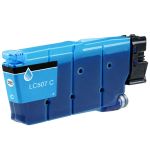
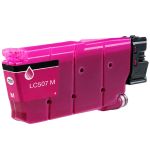
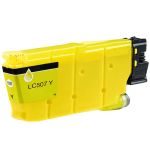

Brother LC507 Cartridges Ink Installation Guide
- Open the printer's ink cartridge cover.
- Press the lock-release lever for the cartridge color that needs to be replaced, then carefully remove the old cartridge.
- Open the new Brother LC507 ink cartridge bag and remove the cartridge. Avoid touching the indicated contact area. Before installing a black cartridge, shake it horizontally 15 times; the color cartridges do not require shaking.
- Insert the new cartridge in the direction of the arrow on its label, making sure it goes into the correct color slot.
- Gently press the area marked PUSH until the cartridge locks into place, then close the ink cartridge cover.
Brother LC507 Cartridges FAQ
Can I use generic ink in Brother printer?
Yes, you can. CompAndSave's generic, compatible, replacement, or remanufactured ink cartridges are designed to meet or exceed the OEM specifications. This means that you can get the same print quality and number of prints without paying as much compared to original Brother ink cartridges. Aside from this, using generic ink cartridges will never void the printer's warranty. So you can shop and use our ink cartridges without any worry. For more information about our ink cartridges, click ink knowledge base, and you will be redirected to the right page.
Why do Brother printers run out of ink so fast?
The amount of ink your printer use usually depends on the print density. So if you are printing documents or photos with high printing density, then your printer will consume more ink than usual. It is also important to remember that your printer will also use ink whenever it runs the automatic printhead cleaning.