
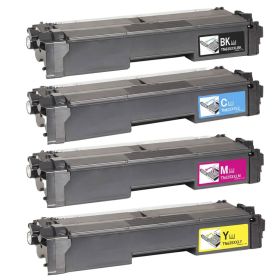
 Click to enlarge the image
Get bigger savings on our Brother TN635XXL cartridges here at CompAndSave, where you can find the cheapest printer toners online!
- Proven and tested to work like the original. Our compatible Brother TN635XXL printer cartridges are designed to work just like the OEM, from the installation process down to its print quality.
- Budget-friendly. CompAndSave purchases directly from manufacturers at high volumes, locking in steep discounts. With this, we pass all that savings on to our customers, making us the cheapest place to buy printer toner online. You can get even more significant discounts if you order our Brother toner cartridges in bulk!
- More options. We have single and combo pack cartridges available depending on your printing needs. Make sure to explore different quantities to find the price break that suits you best.
- Free shipping. For U.S. orders, buy products up to $50 or more, and the shipping fee is on us! Brother TN635XXL cartridges orders placed before 2:00 p.m. PST Monday through Friday will be processed the same day. Check our Shipping Policy for more information.
- Will not void printer warranty. Please be informed that using a compatible Brother TN635XL printer cartridges will never void your printer warranty. To know more, visit our Ink Knowledge Base page or contact us for any further questions.
So hurry and save more if you shop for CompAndSave's compatible in single or combo packs. Purchase Brother TN635XXL cartridges now and enjoy quality discount toner cartridges only here at CompAndSave. Start saving today!

Compatible Brother TN635XXL Cartridges Single and Combo Packs
-
MOST POPULAR
 Retail Price: $854.36Save $674.40 (79% off retail price)$179.96
 -
Retail Price: $137.99Save $88.04 (64% off retail price)$49.95
-
Retail Price: $238.79Save $188.84 (79% off retail price)$49.95
-
Retail Price: $238.79Save $188.84 (79% off retail price)$49.95
-
Retail Price: $238.79Save $188.84 (79% off retail price)$49.95
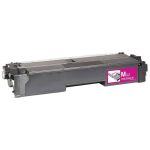
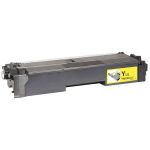

Brother TN635XXL Cartridges Replacement Guide
- Make sure the printer is powered on before starting.
- Press the front cover release button and open the front cover fully to access the drum and toner units.
- Remove drum unit & toner assembly.
- Press the green lock lever on the drum unit down. Lift the old TN-635XXL toner cartridge up and out of the drum unit.
- Unpack the new Brother TN635XXL toner cartridge from its packaging. Gently shake it a few times side-to-side, then remove the protective cover or seal.
- Install the new toner cartridge in the drum unit. Press down until it clicks into place — the green lock lever should lift back up automatically.
- Slide the green corona wire tab on the drum unit from side to side several times to remove dust and debris. Return the tab to the home position.
- Put the assembly back into the printer. Push it all the way in until it locks.
- Close the front cover and wait for the printer to return to Ready status before printing.
Brother TN635XXL Cartridges FAQs
Can I use a different ink cartridge for my Brother printer?
Yes, you can. Just make sure that the ink cartridge that you are going to use is the right model for your printer. CompAndSave offers replacement, remanufactured, or compatible ink cartridges that are designed to match the OEM specifications. This means that you can get the same quality and number of prints without paying as much compared to original ink cartridges. For more information, click ink knowledge base and you will be redirected to the right page.
Do all Brother printers use the same toner?
The short answer is no, not all Brother printers use the same toner cartridge. These toner cartridges have different sizes, fittings, and printer compatibility. Installing the wrong toner cartridge into your printer can cause printing issues and might damage the printer. So make sure to only install the toner cartridge model intended for your printer. If you need help finding the right cartridge for your printer, you can check our guide What ink does my printer use?, and you will be redirected to the right page.