
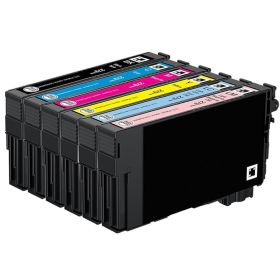
 Click to enlarge the image
Get bigger savings on our Epson 279 cartridges here at CompAndSave - the cheapest place to buy printer ink online!
Our goal is to help you save more by purchasing our Epson 279 value pack or single pack cheap ink cartridges. Our compatible replacement and remanufactured ink cartridges are designed to work just like the OEM. Why pay for an expensive original Epson 279 printer cartridges when you can get it here at a much lesser price without compromising print quality.
So hurry and save even more if you shop for Epson 279 value pack or in bulk. Purchase Epson 279 ink cartridges now and enjoy quality discount ink cartridges only here at CompAndSave - cheapest place to buy Epson ink cartridges. Start saving today!
NOTE: Using a compatible or remanufactured cartridge will not void your printer warranty. To know more, check our ink knowledge base page for more information.

Remanufactured Epson 279 Cartridges Single and Combo Packs
-
Retail Price: $79.16Save $19.22 (24% off retail price)$59.94
-
Retail Price: $184.66Save $51.80 (28% off retail price)$132.86
-
Retail Price: $13.19Save $2.24 (17% off retail price)$10.95
-
Retail Price: $13.19Save $2.24 (17% off retail price)$10.95
-
Retail Price: $13.19Save $2.24 (17% off retail price)$10.95
-
Retail Price: $13.19Save $2.24 (17% off retail price)$10.95
-
Retail Price: $13.19Save $2.24 (17% off retail price)$10.95
-
Retail Price: $13.19Save $2.24 (17% off retail price)$10.95
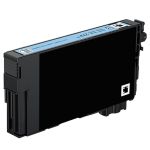
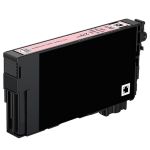
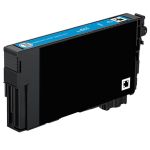
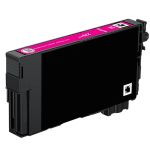
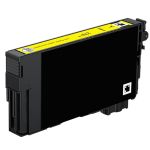

Epson 279 Cartridges Replacement Guide
- Turn on the printer and check the screen to see which cartridge is empty.
- Lift the scanner unit (printer cover) to access the ink cartridges.
- Press the tab on the empty cartridge and lift it straight up to remove it. Dispose of it properly.
- Gently pull out the old ink cartridge.
- Unpack the new CompAndSave Epson 279 ink cartridge for the correct color and gently shake it four or five times.
- Remove only the yellow tape from the cartridge. Do not remove any other seals.
- Insert the new cartridge into the holder and press down until it clicks.
- Close the scanner unit and press OK or Start to begin ink charging.
Epson 279 Cartridges FAQs
Can I use different ink cartridges in Epson printers?
If what you mean by "different" is a different brand, then the answer is yes, you can. Just make sure that the ink cartridge that you are going to use is the right model for your printer. CompAndSave offers replacement, remanufactured, or compatible ink cartridges that are designed to match the OEM specifications. This means that you can get the same quality and number of prints without paying as much compared to original ink cartridges. For more information, click ink knowledge base, and you will be redirected to the right page.
Are all Epson ink cartridges the same?
The short answer is no. Not all Epson ink cartridges are the same. They have different sizes, fittings, and printer compatibility. To know the ink cartridge model intended for your printer, you may check the printer's manual. You may also check the existing or the last cartridge installed in your printer. In front should be a label or sticker with the model number. For example, the Epson Expression Photo XP-980 printer uses the ink cartridge that has the model code of Epson 279. You may also check our guide, click , and you will be redirected to the right page.