

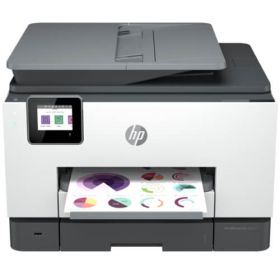
 Click to enlarge the image
CompAndSave is proud to offer wallet-friendly prices on our high-quality HP OfficeJet Pro 9020e ink cartridges. We specialize in providing cheap alternative HP 9020e ink cartridges.
Why choose CompAndSave in shopping for HP ink cartridges?
- Our replacement HP OfficeJet Pro 9020e ink cartridges are designed to ensure that you will get the same number of sheets and print quality as the original HP cartridges at a much lesser price.
- Not sure about how to install replacement, remanufactured or compatible printer cartridges? Worry no more as CompAndSave made sure that installing HP 9020e ink cartridges will be the same as installing the original ones to save you from the hassle.
- Get more for less! Enjoy even bigger discounts if you order HP printer ink cartridges in bulk. Make sure to explore different quantities to find the price break for HP OfficeJet Pro 9020e ink cartridges that suits you best.
- Worried that our printer cartridges might expire before you use them all up? We assure you that our HP 9020e ink cartridges are fresh from the factory every month and have a tested shelf-life of at least 20 months.
- Enjoy our free shipping offer for orders over $50 (for orders shipped to all 50 states in the USA).
- Plus, our low-priced HP ink cartridges are backed up with a 1-year 100% satisfaction guarantee. Shopping for cheap replacement cartridges can't get any better than this!
NOTE: Please be informed that using CompAndSave's HP printer ink cartridges will never void your printer warranty. For further questions or inquiries, feel free to contact us and our Customer Support Representatives will be more than happy to assist you.
IMPORTANT NOTE: HP released a new firmware version, the firmware 2151A, on December 21, 2021 resulting in HP Officejet Pro 9010 and 9020 to not recognize non-original HP 962/962XL ink cartridges and will only accept original ones.
If your printer has been updated to its latest version, we highly recommend you to purchase the original ones for now while CompAndSave's manufacturer is working on a new chip for HP 962/962XL so you can use our ink cartridges again while saving.
If your printer has not been updated yet, we strongly recommend you to turn off the "Printer Update" function on your printer setting by following the instructions in our "How to turn off the firmware update at HP 962 series printer" video.
How To Install HP OfficeJet Pro 9020e Ink Cartridges
Replacement HP OfficeJet Pro 9020e Ink Cartridges from $16.95
-
Retail Price: $96.99Save $37.03 (38% off retail price)$59.96
-
Retail Price: $157.96Save $98.00 (62% off retail price)$59.96
-
Retail Price: $269.90Save $140.00 (52% off retail price)$129.90
-
Retail Price: $409.90Save $280.00 (68% off retail price)$129.90
-
Retail Price: $33.99Save $14.04 (41% off retail price)$19.95
-
Retail Price: $46.99Save $27.04 (58% off retail price)$19.95
-
Retail Price: $53.99Save $27.04 (50% off retail price)$26.95
-
Retail Price: $22.99Save $6.04 (26% off retail price)$16.95
-
Retail Price: $36.99Save $20.04 (54% off retail price)$16.95
-
Retail Price: $22.99Save $6.04 (26% off retail price)$16.95
-
Retail Price: $36.99Save $20.04 (54% off retail price)$16.95
-
Retail Price: $22.99Save $6.04 (26% off retail price)$16.95
-
Retail Price: $36.99Save $20.04 (54% off retail price)$16.95
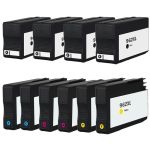
How to change HP OfficeJet Pro 9020e ink cartridges on printer?
- Make sure that the printer is turned on.
- To access the ink cartridges, just open the front cover and lift the ink access door.
- The ink cartridge's carriage will automatically move, so make sure to wait for it to completely stop moving before you proceed.
- To release the ink cartridge, just simply push it forward to unlock it, then pull the cartridge out from the printer.
- Get your new CompAndSave HP 9020e ink cartridge, open it over a sink or garbage can to avoid any messes in case it leaks as sometimes, factories tend to overfill ink cartridges. Make sure to touch the black plastic part only, then remove the covering tape that is usually bright in color as well as the plastic protective case, if there is, before installing it.
- Insert the HP 9020e ink cartridge to its respective slot. Gently push it in until it clicks into place.
- Close the ink access door and put the front cover back into place.
Most Common HP OfficeJet Pro 9020e Ink Cartridges Questions
- What ink does HP OfficeJet Pro use?
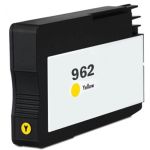
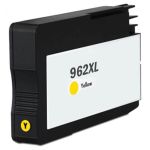
- HP OfficeJet Pro printers uses different kind or model of ink cartridge. To know the model number of the cartridge your OfficeJet Pro printer is using, you may check the user's manual that came with your printer. You may also check the existing cartridge that is installed in your printer, in front or on the side is a label or sticker with the model number which is usually consisted of alphanumeric characters. For example, HP OfficeJet Pro 9020e printer uses the ink cartridge that has the model code of HP 962 for standard yield and HP 962XL for high yield.
- Do you need both black and color cartridge to print HP?
Some HP printer models are designed to print only if all ink cartridges have ink, while some printer models can temporarily print even if the color ink cartridges are empty. To print with only black ink, you just have to open the printer software app and then go to "Print" option. Then choose your printer, followed by selecting the "Printer Properties" tab. After this select "Paper/Quality" or "Features", press the "Advanced" option. You should see the option that says "Print in grayscale" press this option then select "Black Ink Only". Lastly press "OK" to apply the changes.
Please note that this depends on the printer model, as some models require all cartridges in order to print. To verify, you may contact your printer manufacturer and check if your printer has this feature. Although this option is available, we highly encourage you to replace any empty or low ink cartridges to avoid printing issues. CompAndSave offers a wide variety of cheap printer ink cartridges without compromising its quality so you can print to your heart's content.
-
The clones seem to work well once I got the printe...Review for Replacement HP 962XL Combo Pack of 4 Ink Cartridges - High Yield: 1 Black, 1 Cyan, 1 Magenta, 1 YellowI recommend this productThe clones seem to work well once I got the printer to not be looking for HP products.Was this review helpful?
-
Review for Replacement HP 962XL Combo Pack of 4 Ink Cartridges - High Yield: 1 Black, 1 Cyan, 1 Magenta, 1 YellowI recommend this productColor carts worked great. HP would not accept black. However Compsndsave gave me credit for the black after a prepaid return.Was this review helpful?
-
Review for Replacement HP 962XL Combo Pack of 4 Ink Cartridges - High Yield: 1 Black, 1 Cyan, 1 Magenta, 1 YellowI recommend this productI was told that because H Packard copiers may not accommodate generic ink, and that the ink package I purchased may not print. I was delighted to load my machine and discover it functioned perfectly for a much lower cost. Great product, great service!Was this review helpful?
-
Happy with productReview for Replacement HP 962 Ink 4-Pack Cartridges: 1 Black, 1 Cyan, 1 Magenta, 1 YellowHappy with productWas this review helpful?
-
Review for Replacement HP 962XL Combo Pack of 4 Ink Cartridges - High Yield: 1 Black, 1 Cyan, 1 Magenta, 1 YellowWouldn’t get the HP printer to accept the cartridges. Contacted customer service and got a return label and received a refund with no problemWas this review helpful?
-
Love the products & speed of arrivalReview for Replacement HP 962XL Combo Pack of 4 Ink Cartridges - High Yield: 1 Black, 1 Cyan, 1 Magenta, 1 YellowI recommend this productLove the products & speed of arrivalWas this review helpful?
-
Review for Replacement HP 962XL Combo Pack of 4 Ink Cartridges - High Yield: 1 Black, 1 Cyan, 1 Magenta, 1 YellowI recommend this productIt was easy to order via the internet and the product arrived in a timely manner.Was this review helpful?
-
Review for Replacement HP 962XL Combo Pack of 4 Ink Cartridges - High Yield: 1 Black, 1 Cyan, 1 Magenta, 1 YellowCyan cartridge didn’t work. I had to return it. They did t send me a replacementWas this review helpful?
-
Review for Replacement HP 962XL Cartridge Magenta - High Yield - 3JA01AN InkGreat price for ink that works.Was this review helpful?
-
Review for Replacement HP 962XL Combo Pack of 4 Ink Cartridges - High Yield: 1 Black, 1 Cyan, 1 Magenta, 1 YellowI recommend this producteverything is good with your productWas this review helpful?