
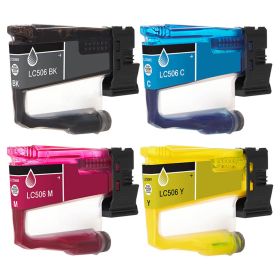
 Click to enlarge the image
Get bigger savings on our Brother LC506 cartridges here at CompAndSave, where you can find the cheapest printer inks online!
- Proven and tested to work like the original. Our compatible Brother LC506 printer cartridges are designed to work just like the OEM, from the installation process down to its print quality.
- Budget-friendly. CompAndSave purchases directly from manufacturers at high volumes, locking in steep discounts. With this, we pass all that savings on to our customers, making us the cheapest place to buy printer ink online. You can get even more significant discounts if you order our Brother ink cartridges in bulk!
- More options. We have single and combo pack cartridges available depending on your printing needs. Make sure to explore different quantities to find the price break that suits you best.
- Free shipping. For U.S. orders, buy products up to $50 or more, and the shipping fee is on us! Brother LC506 cartridges orders placed before 2:00 p.m. PST Monday through Friday will be processed the same day. Check our Shipping Policy for more information.
- Will not void printer warranty. Please be informed that using a compatible Brother LC506 printer cartridges will never void your printer warranty. To know more, visit our Ink Knowledge Base page or contact us for any further questions.
So hurry and save more if you shop for CompAndSave's compatible in single or combo packs. Purchase Brother LC506 cartridges now and enjoy quality discount ink cartridges only here at CompAndSave. Start saving today!

Compatible Brother LC506 Cartridges Single and Combo Packs
-
MOST POPULAR
 Retail Price: $105.86Save $65.90 (62% off retail price)$39.96
 -
Retail Price: $274.70Save $174.80 (64% off retail price)$99.90
-
Retail Price: $31.49Save $11.50 (37% off retail price)$19.99
-
Retail Price: $24.79Save $14.80 (60% off retail price)$9.99
-
Retail Price: $24.79Save $14.80 (60% off retail price)$9.99
-
Retail Price: $24.79Save $14.80 (60% off retail price)$9.99
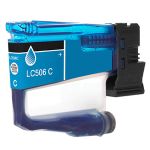
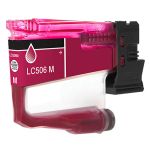
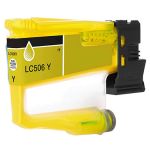

Brother LC506 Cartridges Replacement Guide
- Turn on your printer.
- Open the ink cartridge cover by pulling it down.
- Press the lock release lever for the color indicated on the printer’s LCD screen.
- Gently pull out the old ink cartridge.
- Unpack the new CompAndSave Brother LC506 ink cartridge for the correct color. Avoid touching the indicated area to ensure proper detection by the printer.
- Shake the black cartridge horizontally about 15 times before installation.
- Insert the new cartridge into its designated slot, following the arrow on the label for guidance.
- Push the cartridge gently at the area marked “PUSH” until it clicks securely into place.
- Close the ink cartridge cover.
Brother LC506 Cartridges FAQs
Can I refill my Brother ink cartridges?
Yes, you can refill genuine cartridges. You just need to have the right instruction and tools to do so. But to avoid issues, we highly suggest you replace any empty ink cartridges. CompAndSave offers a wide variety of cheap printer ink cartridges at a much lower price without compromising its quality. Our cartridges are manufactured to meet or exceed the OEM specifications, which will save you from all the trouble of going through the process of refilling an ink cartridge. If you need a step-by-step instructions on how to refill an ink cartridge, click Ink Refill Guide, and you will be redirected to the right page.
Can I use generic ink in Brother printer?
Absolutely! CompAndSave's generic, compatible, replacement or remanufactured ink cartridges are designed to meet or exceed the OEM specifications. This means that you can get the same print quality and number of prints without paying as much compared to original Brother cartridges. Aside from this, using generic ink cartridges will never void the printer's warranty. So you can shop and use our cartridges without any worry. For more information about our cartridges, click ink knowledge base and you will be redirected to the right page.