
 Click to enlarge the image
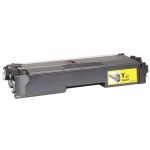
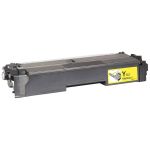
CompAndSave is proud to offer affordable prices on our compatible Brother MFC-L8730CDW toner cartridges that boast genuine-like quality and satisfaction. Why choose CompAndSave in shopping for Brother L8730CDW toner cartridges?
- LOWER PRICE, SAME QUALITY. Our Brother cartridges are designed to ensure you get the same quality as OEM cartridges at a much lower price. If you want to know your savings per print, check out our guide on how to calculate printing cost per page.
- MADE WITH PRECISION. Worried about the installation of your new compatible Brother toner cartridges? Don't be. CompAndSave's cartridges are designed to work and perform like the original ones.
- BUMP UP YOUR SAVINGS. Enjoy bigger discounts if you order Brother MFC-L8730CDW toner cartridges in bulk. We have single and combo pack cartridges available. Mix and match different quantities to find the price break that's within your budget.
- NEXT DAY SHIPPING. Brother L8730CDW toner cartridge orders placed before 2:00 p.m. PST Monday through Friday will be processed the same day. Orders placed after 2:00 p.m. PST will be processed the following business day. Check our Shipping Policy for more information.
- FREE SHIPPING. For U.S. orders, checking out $50 or more means the shipping fee is on us!
- SATISFACTION GUARANTEE. CompAndSave is so confident in the quality of our compatible Brother toner cartridges that we offer a FULL refund for orders returned within ten days upon delivery. We even issue refunds or store credits up to 365 days from purchase! Make sure to read our Return Policy for more details.
- WILL NOT VOID PRINTER WARRANTY. Using compatible Brother MFC-L8730CDW toner cartridges will never void your printer warranty. Visit our Ink Knowledge Base page for more details, or contact us for other concerns.
Take advantage of our exclusive prices for Brother L8730CDW toner cartridges now. Get more SAVINGS without sacrificing quality today!

Compatible Brother MFC-L8730CDW Toner Cartridges from $39.95
-
MOST POPULAR
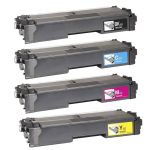 Retail Price: $413.96Save $274.00 (66% off retail price)$139.96
 -
Retail Price: $722.46Save $562.66 (78% off retail price)$159.80
-
Retail Price: $103.49Save $63.54 (61% off retail price)$39.95
-
Retail Price: $132.99Save $88.04 (66% off retail price)$44.95
-
Retail Price: $103.49Save $63.54 (61% off retail price)$39.95
-
Retail Price: $196.49Save $151.54 (77% off retail price)$44.95
-
Retail Price: $103.49Save $63.54 (61% off retail price)$39.95
-
Retail Price: $196.49Save $151.54 (77% off retail price)$44.95
-
Retail Price: $103.49Save $63.54 (61% off retail price)$39.95
-
Retail Price: $196.49Save $151.54 (77% off retail price)$44.95

Brother MFC-L8730CDW Toner Replacement Guide
- Make sure the machine is powered on before you begin.
- Press the front cover release button and open the cover fully.
- Grab the green handle on the drum unit/toner assembly. Pull the entire unit straight out until it stops. Place it on a clean, flat surface with disposable paper beneath it to avoid toner spills.
- Remove the old toner cartridge
- Clean the Corona Wire. Gently slide the green corona wire tab inside each drum unit from left to right several times, then return each tab to the home position.
- Unpack the new Brother L8730CDW toner cartridge from its packaging. Remove all protective materials and seals.
- Insert the toner cartridge and press firmly until it clicks into place. Make sure each cartridge locks properly in the drum unit.
- Slide the full assembly (drum + new toner cartridges) back into the printer using the green handle. Ensure it seats completely and locks in place.
- Close the Front Cover.
Brother MFC-L8730CDW Toner Cartridges FAQs
Can I use a different ink cartridge for my Brother printer?
Yes, you can. Just make sure that the ink cartridge that you are going to use is the right model for your printer. CompAndSave offers replacement, remanufactured, or compatible ink cartridges that are designed to match the OEM specifications. This means that you can get the same quality and number of prints without paying as much compared to original ink cartridges. For more information, click ink knowledge base and you will be redirected to the right page.
Can I use generic toner in my Brother printer?
Absolutely! CompAndSave's generic, compatible, replacement, or remanufactured toner cartridges are designed to meet or exceed the OEM specifications. This means that you can get the same print quality and the number of prints without paying as much compared to original Brother toner cartridges. Aside from this, using generic toner cartridges will never void the printer's warranty. So you can shop and use our toner cartridges without any worry. For more information about our toner cartridges, click ink knowledge base, and you will be redirected to the right page.