
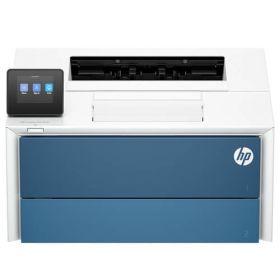
 Click to enlarge the image
CompAndSave is proud to offer affordable prices on our replacement HP LaserJet Pro 4006dw toner cartridges that boast genuine-like quality and satisfaction. Why choose CompAndSave in shopping for HP 4006dw toner cartridges?
- LOWER PRICE, SAME QUALITY. Our HP cartridges are designed to deliver the same quality as OEM cartridges at a much lower price. If you want to know your savings per print, check out our guide on how to calculate printing cost per page.
- MADE WITH PRECISION. Worried about the installation of your new replacement HP toner cartridges? Don't be. CompAndSave's cartridges are designed to work and perform like the original ones.
- BUMP UP YOUR SAVINGS. Enjoy bigger discounts if you order HP LaserJet Pro 4006dw toner cartridges in bulk. We have single-cartridge and combo-pack cartridges available. Mix and match different quantities to find the price break that's within your budget.
- NEXT DAY SHIPPING. HP 4006dw toner cartridge orders placed before 2:00 p.m. PST Monday through Friday will be processed the same day. Orders placed after 2:00 p.m. PST will be processed the following business day. Check our Shipping Policy for more information.
- FREE SHIPPING. For U.S. orders, checking out $50 or more means the shipping fee is on us!
- ECO-FRIENDLY SOLUTIONS. Did you know that our replacement or remanufactured cartridges are environmentally friendly? Instead of throwing away empty original HP cartridges, our manufacturer meticulously recycles them to function exactly like the originals. By purchasing our replacement HP LaserJet Pro 4006dw toner cartridges, you will not only save a ton of money, but you will also be helping to preserve the environment.
- SATISFACTION GUARANTEE. CompAndSave is so confident in the quality of our replacement HP toner cartridges that we offer a FULL refund for orders returned within ten days upon delivery. We even issue refunds or store credits up to 365 days from purchase! Make sure to read our Return Policy for more details.
- WILL NOT VOID PRINTER WARRANTY. Using replacement HP LaserJet Pro 4006dw toner cartridges will never void your printer warranty. Visit our Ink Knowledge Base page for more details, or contact us for other concerns.
Take advantage of our exclusive prices for HP 4006dw toner cartridges now. Get more SAVINGS without sacrificing quality today!

Replacement HP LaserJet Pro 4006dw Toner Cartridges from $79.99
-
Retail Price: $281.98Save $130.00 (46% off retail price)$151.98
-
Retail Price: $445.98Save $236.00 (53% off retail price)$209.98
-
Retail Price: $563.96Save $268.00 (48% off retail price)$295.96
-
Retail Price: $891.96Save $480.00 (54% off retail price)$411.96
-
Retail Price: $1,409.90Save $710.00 (50% off retail price)$699.90
-
Retail Price: $2,229.90Save $1,230.00 (55% off retail price)$999.90
-
Retail Price: $140.99Save $61.00 (43% off retail price)$79.99
-
Retail Price: $222.99Save $113.00 (51% off retail price)$109.99
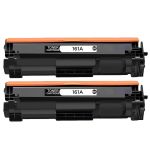
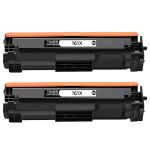
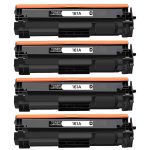
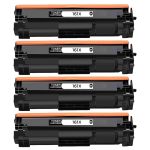
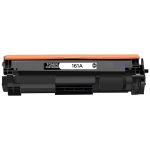
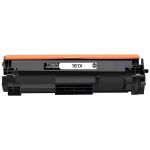

HP LaserJet Pro 4006dw Toner Replacement Guide
- Open the top door.
- Grasp the handle on the toner cartridge, and then pull the toner cartridge out to remove it.
- Remove the new HP 4006dw toner cartridge package from the box, and then remove it from the packaging.
- Hold both ends of the toner cartridge and rock it end to end to distribute the toner evenly inside the cartridge.
- Do not touch the imaging drum on the bottom of the toner cartridge. Fingerprints on the imaging drum can cause print-quality problems. Also, do not expose the cartridge to light unnecessarily.
- Insert the new toner cartridge into the printer.
- Close the top door.
HP LaserJet Pro 4006dw Toner Cartridge FAQs
Why is my toner cartridge not working?
First, make sure that you are using the right toner cartridge for your printer. To verify, you may check the printer's manual and see if you installed the right model number of toner to your printer. Next, remove the toner cartridge from the printer, then shake the toner cartridge about 5 to 6 times. Make sure to cover the cartridge with plastic to avoid leaking. After this make sure that the toner is properly seated to its slot and make sure that it is secured in place. For more troubleshooting tips, click Troubleshooting Tips and you will be redirected to the right page.
Do laser toner cartridges go bad?
Yes, toners have expiration or shelf life. CompAndSave's HP toner cartridges have a proven shelf life of 20 months. To ensure that it reaches its shelf life, make sure to store the toner cartridge properly. Storing it in a dry, cool place is the ideal way of storing toner cartridge.